One question divides web designers, marketers, and business owners more than almost any other: Is WordPress or Squarespace better for SEO?
The debate has been running for years. Both platforms power millions of websites. Both have passionate advocates. And both offer legitimate SEO capabilities that help businesses rank on Google. However, the honest answer is more nuanced than most comparison articles let on.
Your platform choice shapes more than just your website’s appearance. It determines how much control you have over technical SEO, how fast your pages load, how easily you can scale your content strategy, and how visible you become in a world where AI-driven search is reshaping how content gets discovered. Understanding what AI SEO means for modern websites helps frame this decision far more clearly than platform feature lists alone.
In this guide, you will get a complete, honest comparison – no platform bias, no spin. Just the facts you need to make the right decision for your specific goals.
WordPress vs. Squarespace: A Quick Platform Overview
Before comparing SEO capabilities, it helps to understand what each platform actually is. These two tools work very differently – and that difference matters enormously for search performance.
WordPress is a self-hosted, open-source content management system. You install it on a hosting provider of your choice and have virtually unlimited control over every aspect of your website. That freedom comes with responsibility – you manage hosting, security, updates, and technical maintenance yourself. Understanding what elements are foundational for SEO with AI becomes especially important on WordPress, where you control every technical lever directly.
Squarespace is a fully hosted, all-in-one website builder. You pay a monthly subscription, and Squarespace handles hosting, security, software updates, and core technical infrastructure automatically. The trade-off is less flexibility – but for non-technical users, those boundaries are rarely limiting in practice. Both platforms can rank on the first page of Google. The real question is which one makes that outcome easier to achieve – and for whom.
SEO Fundamentals: What Both Platforms Do Well
Before highlighting differences, it is important to acknowledge that both WordPress and Squarespace cover the core SEO fundamentals that matter most for ranking. Neither platform leaves you unable to optimise effectively. Understanding what SEO and GEO mean for your website helps frame both platforms not just on traditional ranking signals, but on their readiness for AI-driven search results.
SEO features both platforms support:
- Custom meta titles and meta descriptions for every page
- Custom URL slugs and clean page structures
- Automatic XML sitemap generation and submission
- SSL certificates (HTTPS) across all pages
- Mobile-responsive design as the default
- Image alt text optimisation
- 301 redirect management
- Basic structured data and schema markup
- Google Search Console integration
Both platforms have improved significantly over recent years. Squarespace, in particular, has closed many SEO gaps it had in earlier versions – making the gap between the two smaller than most articles suggest.
Where WordPress Wins for SEO
WordPress has genuine, meaningful advantages over Squarespace in several SEO areas – particularly for sites needing advanced optimisation, large-scale content strategies, or highly technical control.
1. Unmatched Plugin Ecosystem
WordPress’s single biggest SEO advantage is its plugin ecosystem – particularly Yoast SEO and Rank Math. These tools provide capabilities that Squarespace simply cannot match natively. Pairing the right plugin with a strong understanding of which keywords are most important for SEO creates a powerful on-page optimisation workflow that drives consistent organic growth.
With a WordPress SEO plugin, you can:
- Get real-time content optimisation guidance as you write
- Generate and control breadcrumb navigation with full schema support
- Build advanced XML sitemaps with granular inclusion/exclusion controls
- Implement schema markup for articles, FAQs, products, and reviews
- Conduct technical SEO audits directly inside your dashboard
- Manage redirect rules at scale without third-party apps
This plugin depth gives WordPress a clear edge in competitive niches where technical precision makes a measurable ranking difference.
2. Complete URL Structure Control
WordPress gives you full control over your permalink structure. You can create any URL pattern you want – short, flat, keyword-focused URLs that contain nothing but your target term. Clean, descriptive URLs are a confirmed on-page SEO signal that improves both click-through rates and search engine understanding.
Squarespace gives you less control. While you can edit URL slugs, certain page types enforce automatic prefixes you cannot remove. For most sites, this makes no meaningful SEO difference – but for highly competitive or technically demanding campaigns, URL flexibility matters. This is particularly relevant as AI Overviews change how SEO results are displayed, and clean URL structures become more important for AI citation accuracy.
3. Superior Content and Blogging Architecture
WordPress was originally built as a blogging platform, and its content architecture reflects that heritage in ways that directly benefit SEO. It supports nested category structures, custom post types, advanced tagging systems, and full editorial workflow management. This makes it significantly easier to build the topical authority and content cluster architecture that modern LLM SEO strategy demands.
For businesses whose primary growth channel is content marketing – B2B companies, publishers, bloggers, and service providers – WordPress’s content capabilities provide a meaningful long-term SEO advantage that Squarespace currently cannot fully match.
4. Greater Page Speed Optimisation Ceiling
With the right hosting provider, theme, and caching setup, WordPress sites can achieve exceptional Core Web Vitals scores. Tools like WP Rocket, Cloudflare CDN integration, and dedicated image optimisation plugins give developers precise control over every performance variable. Since page speed is a confirmed Google ranking factor, this ceiling matters in highly competitive markets.
Understanding the future of SEO makes it clear that technical performance will only grow in importance, making WordPress’s configurability a genuine long-term advantage for technical teams who know how to use it. However, this advantage requires expertise. A poorly configured WordPress site with accumulated plugin bloat can load more slowly than a clean Squarespace site.
Where Squarespace Wins for SEO
Squarespace is often unfairly dismissed as an SEO lightweight. In reality, it offers genuine strengths – particularly for users without technical expertise or dedicated developer support.
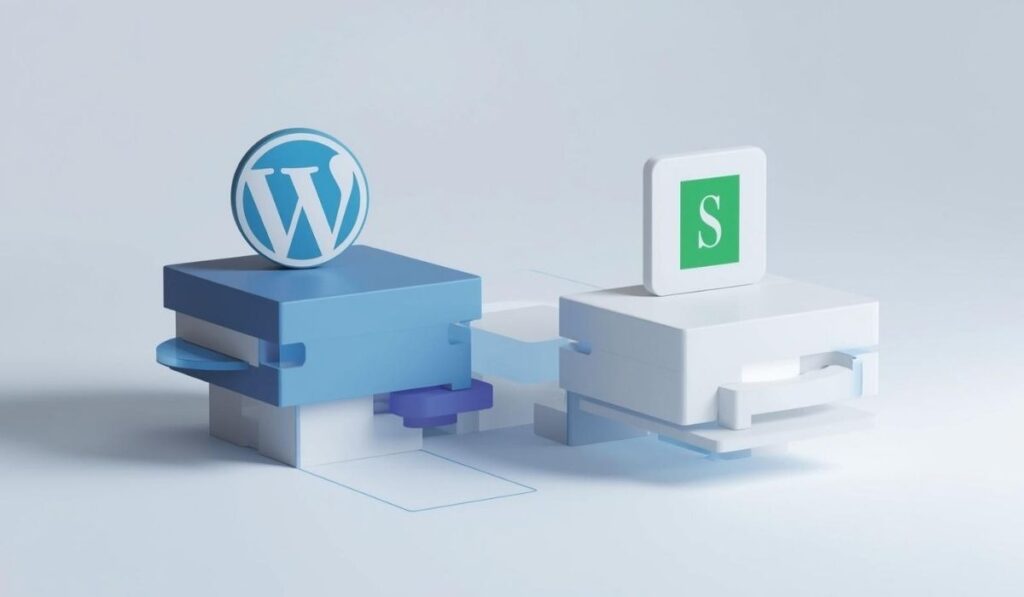
1. Fully Managed Technical SEO Infrastructure
Squarespace handles all server-side technical performance automatically – hosting speed, SSL certificates, security patches, uptime reliability, and Core Web Vitals baseline performance. All of this happens without any configuration from the user. Following best practices for AI visibility SEO on a well-maintained Squarespace site consistently produces strong organic results without requiring a developer.
For small businesses, freelancers, and service providers who lack technical resources, this managed infrastructure is a significant advantage. A consistently maintained Squarespace site outperforms a neglected WordPress site every single time.
2. Consistent Mobile Performance
Squarespace themes are built to consistent quality standards. Every template is mobile-responsive by default, and the platform’s code base is lean and standardised. This matters because Google uses mobile-first indexing – it evaluates your site based on its mobile version.
Real-world evidence supports this. Paige Brunton, a well-known Squarespace designer and educator, ran a genuine platform migration test – moving over 500 blog posts from Squarespace to WordPress and Showit. Her finding: page speed scores on mobile were a key differentiator, and rankings recovered when performance was properly maintained, regardless of platform. Squarespace’s managed mobile optimisation protects users from technical degradation over time.
3. Built-In SEO Without Plugin Dependency
Squarespace includes all essential SEO settings natively. You can edit meta titles, meta descriptions, alt text, URL slugs, and schema settings directly from the page editor – no plugins required. Every page automatically receives canonical tags, SSL, a sitemap entry, and mobile-responsive rendering from the moment it is published. This foundation makes it easier to pursue how to show up in AI Overviews, since structured data and technical health are already in place from day one.
For non-technical users, removing plugin dependency is not just a convenience – it eliminates an entire category of SEO risk.
4. Lower Risk of Accidental SEO Damage
WordPress’s flexibility is a double-edged sword. Anyone can accidentally break their site’s SEO with a misconfigured plugin, a conflicting redirect, or an unintentional noindex setting applied site-wide.
Squarespace’s closed architecture significantly reduces this risk. You cannot install a plugin that strips your schema markup or corrupts your sitemap. For non-technical users, this lower error surface is a genuine SEO advantage. Consistent, stable technical health is one of the most underrated factors in maintaining organic rankings – and Squarespace makes it far easier to preserve.
Head-to-Head SEO Comparison Table
| SEO Factor | WordPress | Squarespace |
| Meta title and description control | Full – via plugins | Full – built-in natively |
| URL structure flexibility | Complete control | Good – minor prefix limitations |
| XML sitemap generation | Plugin-required (automatic with Yoast) | Automatic – no setup needed |
| Schema markup depth | Advanced – extensive plugin support | Basic – built-in, limited customisation |
| Page speed potential | Very high – with correct configuration | Consistently good – managed automatically |
| Mobile optimisation | Variable – depends on the theme | Excellent – all themes are responsive by default |
| Blogging and content architecture | Superior – built for content at scale | Adequate – good for moderate content needs |
| Plugin/app SEO ecosystem | Largest in the industry | Limited but sufficient for most use cases |
| Technical SEO risk | Higher – requires active maintenance | Lower – managed infrastructure reduces errors |
| Best for | Content-heavy, technical, large-scale sites | Service businesses, portfolios, small brands |
Which Platform Should You Choose for SEO?
The right answer depends entirely on your goals, technical resources, and content strategy. Here is a practical decision framework.
Choose WordPress if you:
- Run a content-heavy website where blogging is your primary growth channel
- Need advanced schema markup, structured data, or technical SEO precision
- Have developer support or strong technical knowledge to manage the platform
- Operate in a highly competitive niche where every ranking signal matters
- Want full URL control and maximum SEO plugin flexibility
- Plan to build a large-scale, interconnected content library over the long term
Choose Squarespace if you:
- Run a service business, portfolio site, or small ecommerce store
- Do not have technical expertise and want managed infrastructure
- Prioritise ease of use and consistent, reliable performance
- Have moderate content needs that do not require deep editorial architecture
- Want to publish quality content without managing a plugin ecosystem
- Need a fast, professional website without ongoing developer maintenance
Ultimately, the best SEO platform is the one you will actually maintain well. A consistently updated, well-optimised Squarespace site beats a neglected WordPress site with outdated plugins every single time. Understanding why LLM SEO matters for content strategy reinforces this point – high-quality, authoritative content is the true driver of organic visibility, regardless of platform.
Common Myths About WordPress and Squarespace SEO
Myth 1: “Squarespace cannot rank on Google.” False. Thousands of Squarespace sites rank on Google’s first page for competitive keywords. Platform choice is far less important than content quality and SEO strategy execution.
Myth 2: “WordPress is always better for SEO.” WordPress has more advanced capabilities, but they only produce results when properly configured and maintained. A poorly managed WordPress site consistently underperforms a clean, well-optimised Squarespace site.
Myth 3: “You need a developer for WordPress SEO.” Basic WordPress SEO is accessible through plugins like Yoast. However, advanced technical SEO on WordPress genuinely benefits from developer knowledge – particularly for large-scale sites.
Myth 4: “Squarespace’s SEO features are too limited.” Squarespace has closed most major SEO gaps that existed in older versions. For the vast majority of small businesses, its built-in features are entirely sufficient for strong organic rankings.
Myth 5: “Platform choice is the most important SEO decision.” It is not. Content quality, keyword targeting, backlink authority, and user experience are all more important. Understanding AI visibility metrics reinforces this point – the signals that drive visibility across traditional and AI-powered search are content-driven, not platform-driven.
How SurgeAIO Can Help in Terms of SEO
Whether you choose WordPress or Squarespace, your platform is only part of the equation. The other part – the part most businesses overlook – is knowing exactly how visible your brand is, where it appears, and what it takes to improve.
That is precisely what SurgeAIO is built to do.
SurgeAIO is an enterprise-grade AI SEO and Generative Engine Optimisation (GEO) platform. It gives businesses on any platform – WordPress, Squarespace, Shopify, or custom-built – a clear view of their organic search performance and their brand presence across the AI tools that are increasingly shaping how buyers and customers discover products and services online. For businesses looking for software built specifically for AI visibility and GEO, SurgeAIO is purpose-built for exactly this challenge.
What SurgeAIO Does for Your Website’s SEO
Regardless of your platform choice, the search landscape your website must compete in now includes both traditional Google rankings and AI-generated answers from ChatGPT, Gemini, Claude, and Perplexity. SurgeAIO gives you full visibility and optimisation capability across both channels simultaneously.
Here is what SurgeAIO delivers for businesses on WordPress or Squarespace:
- AI Visibility Tracking – See exactly where and how often your brand appears in ChatGPT, Gemini, Claude, and Perplexity responses for queries relevant to your business
- Competitor Benchmarking – Measure your AI and search visibility against competitors and identify the exact gaps holding your rankings back
- High-Intent Prompt Capture – Track the specific questions your target audience asks AI tools – and optimise your content to appear in those answers
- Source Intelligence – Identify which third-party websites, directories, and publications are influencing AI recommendations in your niche – and build a strategy to earn those citations
- SEO Foundation + AI Visibility Combined – SurgeAIO’s core growth formula is SEO → AI Visibility → Revenue, ensuring your on-page and technical SEO work hand-in-hand with AI-driven discovery
Using AI tools to compare brand visibility across platforms gives businesses on either platform the competitive intelligence needed to outrank and out-recommend competitors – in both traditional search and AI-generated results.
Why Platform Choice Matters Less Than Visibility Strategy
Here is the key insight that most WordPress vs. Squarespace debates miss entirely: the platform determines your technical ceiling, but your visibility strategy determines your actual results.
A WordPress site with a weak content strategy and no AI optimisation will consistently underperform a Squarespace site with great content and strong brand authority – in both traditional search and AI-generated results. Understanding AI visibility optimisation techniques is what separates businesses that rank from those that remain invisible, regardless of platform.
SurgeAIO helps you focus on what actually moves rankings and leads, regardless of which platform you are on. It turns your SEO investment into a measurable, accountable growth system – not just a checklist of technical tweaks.
Proven Results Relevant to Any Platform
SurgeAIO’s clients have achieved outcomes directly applicable to businesses on both WordPress and Squarespace:
- 50,000 organic visits in 4 months – through targeted content strategy and SEO optimisation
- Number one rankings across 50+ keywords in 2 weeks – for a competitive B2B niche business
- 8.1% GPT visibility in 2 months – appearing in nearly 1 in 10 relevant AI-generated responses
- Organic leads directly attributed to ChatGPT – tracked and reported as a real revenue acquisition channel
These results came not from platform choice – but from a systematic SEO and AI visibility strategy that SurgeAIO’s team executed with clear accountability.
Getting Started
Whether you are building on WordPress for its advanced plugin ecosystem or on Squarespace for its simplicity and reliability, SurgeAIO ensures your investment in either platform translates into actual search visibility, qualified traffic, and measurable revenue.
Book a free discovery call to map your current visibility gaps – across both traditional search and AI-powered platforms – and get a clear roadmap for growth on whatever platform you choose to build on.
Conclusion
So, is WordPress or Squarespace better for SEO?
WordPress wins on advanced SEO capabilities. Its plugin ecosystem, URL flexibility, content architecture, and technical control ceiling make it a stronger platform for competitive, content-heavy strategies where every ranking signal matters.
Squarespace wins on simplicity, reliability, and managed performance. Its built-in SEO tools, consistent mobile performance, and zero-maintenance infrastructure make it an excellent choice for service businesses, portfolios, and anyone without dedicated developer resources.
However, the most important insight is this: platform choice is not the primary driver of SEO success. Content quality, keyword strategy, technical health, and earned authority matter far more than whether your site runs on WordPress or Squarespace.
The best SEO platform is the one you will consistently maintain, regularly update with quality content, and actively optimise over the long term. Choose the platform that fits your workflow and technical comfort – then invest your energy in building the content and authority that truly drives rankings.
Frequently Asked Questions
Is WordPress or Squarespace better for SEO?
WordPress offers more advanced SEO capabilities – particularly through its plugin ecosystem, URL control, and content architecture. However, Squarespace is well positioned to achieve strong organic rankings for most businesses. The right choice depends on your technical resources, content strategy, and growth goals.
Can Squarespace compete with WordPress for SEO rankings?
Yes. Real-world tests show that well-optimised Squarespace sites rank alongside WordPress sites for competitive keywords. The platform matters less than content quality, technical health, and earned backlink authority.
Does WordPress have better SEO plugins than Squarespace?
Yes. WordPress’s SEO plugin ecosystem – led by Yoast SEO and Rank Math – offers significantly more advanced capabilities than Squarespace’s native tools. For users needing advanced schema markup, technical auditing, and granular controls, WordPress is superior.
Is Squarespace good enough for a business website’s SEO?
Absolutely. Squarespace provides all the essential SEO foundations most business websites need – clean URLs, meta tags, automatic sitemaps, SSL, mobile responsiveness, and structured data basics. For service businesses, portfolios, and small e-commerce stores, Squarespace is entirely sufficient.
Which platform is better for blogging and content SEO?
WordPress is stronger for content-heavy strategies. Its nested category structure, custom post types, and editorial workflow tools make it better suited for building large-scale topical authority. Squarespace’s blogging is adequate for moderate content needs but lacks depth for advanced content architecture.
Does page speed differ significantly between the two platforms?
A well-optimised WordPress site can achieve faster speeds than Squarespace. However, a poorly configured WordPress site with bloated plugins loads more slowly. Squarespace provides consistent, reliable performance by default, which benefits non-technical users significantly.
Can I switch from Squarespace to WordPress later?
Yes, but it requires careful planning. Migrating content while preserving URL structure, canonical tags, and backlink equity is technically complex. If you plan to scale your content strategy significantly, starting on WordPress may save migration effort down the road.
