surgeaio.com

SurgeAIO — Navbar Mobile CTA

How to Become a Freelance SEO Writer: A Complete Step-by-Step Guide

Freelance SEO Writing

So, you want to learn how to become a freelance SEO writer? You’re not alone. More businesses than ever need SEO-optimized content – and they’re willing to pay well for it.

The good news is that you don’t need a fancy degree to get started. You need the right skills, a clear strategy, and consistent effort. This guide walks you through everything you need to know.

What Is a Freelance SEO Writer?

A freelance SEO writer creates content that ranks on search engines like Google. They don’t just write – they research keywords, understand search intent, and craft content that attracts organic traffic.

In other words, they combine writing talent with technical SEO knowledge. This unique skill set makes them highly valuable to businesses of all sizes.

However, not every writer understands SEO. That’s exactly what sets a freelance SEO writer apart from a general content writer.

Why Businesses Need Freelance SEO Writers

Before diving into how to become one, it’s worth understanding the demand. Businesses need consistent, high-quality content to rank on Google. Most don’t have the time or in-house expertise to do it well.

Therefore, they hire freelance SEO writers to fill that gap. From startups to established brands, the need is constant.

Why Businesses Need Freelance SEO Writers


Moreover, what is SEO lead generation is a question every business owner eventually asks – and the answer always circles back to well-written, optimized content. That’s your opportunity.

Step 1: Understand the Basics of SEO

You can’t become a freelance SEO writer without understanding SEO first. Start with the fundamentals.

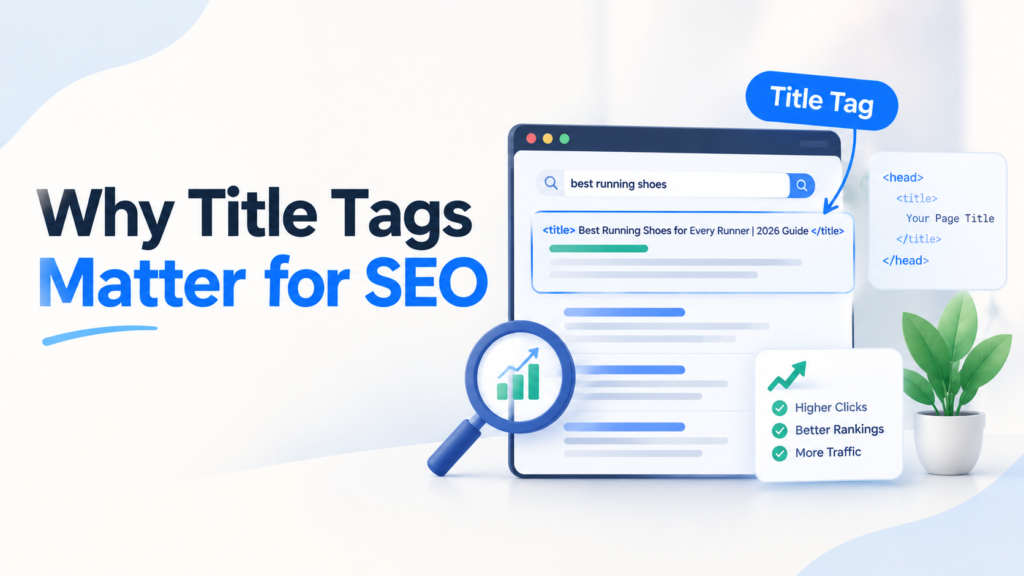
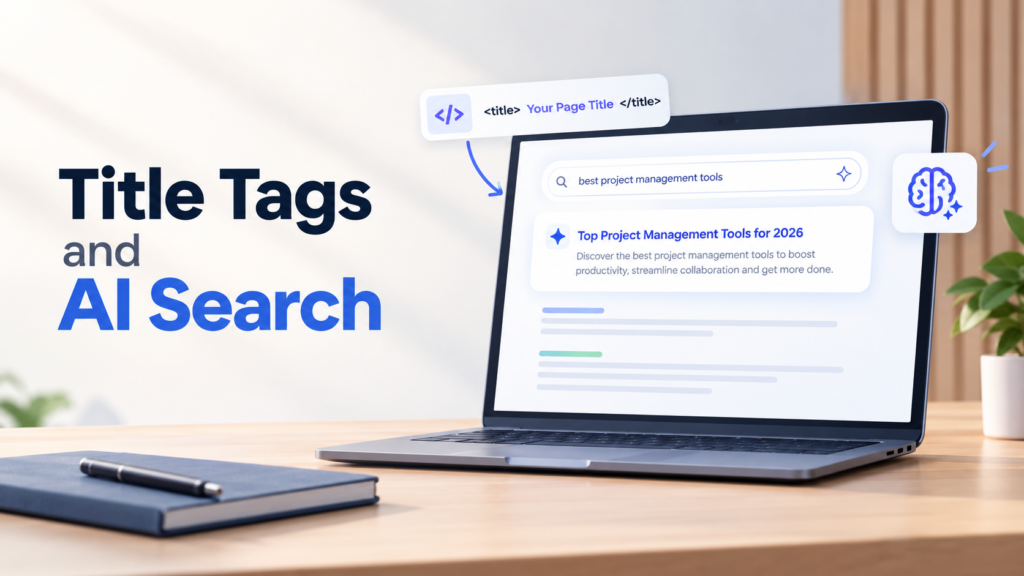
Learn how search engines work, what keywords are, and why search intent matters. Understand on-page elements like title tags, meta descriptions, headings, and internal links.

Here are the core SEO concepts to study:

  • Keyword research – Finding the terms people actually search for
  • Search intent – Understanding why someone searches for a term
  • On-page optimization – Using keywords naturally in content
  • Internal linking – Connecting related pages on a website
  • Content structure – Using headings, short paragraphs, and bullet points

You don’t need to become an SEO expert overnight. However, you do need a solid working knowledge before pitching to clients. Free resources like Google’s Search Central, Moz’s beginner guide, and Ahrefs’ blog are excellent starting points.


Turn AI Visibility Into Real Revenue.

Automate Leads With SurgeAIO. Don’t Let AI Ignore Your Brand.

Book A Demo →

Step 2: Build Your Writing Skills

Strong writing is non-negotiable. SEO knowledge helps, but it means nothing without clear, engaging content.

Practice writing short sentences. Keep paragraphs to two or three lines. Use the active voice as much as possible. Transitional words like therefore, moreover, and however improve flow and readability.

In addition, learn to write for humans first and search engines second. Google’s algorithm rewards content that genuinely helps readers. So, write with clarity and purpose.

Work on these skills consistently:

  • Writing compelling introductions that hook readers
  • Breaking down complex topics into simple language
  • Editing your own work ruthlessly
  • Matching the tone of different brands and industries

Moreover, understanding keywords important for SEO helps you write more strategically from day one. Knowing which terms carry weight shapes how you structure your content.

Step 3: Pick a Niche

Generalist writers struggle to stand out. Niche writers command higher rates and attract better clients.

Think about industries you already know or find genuinely interesting. Legal, medical, finance, SaaS, home services, and e-commerce are all content-hungry sectors.

For example, if you understand how SEO for home service leads works, you can position yourself as the go-to writer for plumbers, HVAC companies, and landscapers. Clients in that space will see you as a specialist – not just another writer.

Choosing a niche also speeds up your research process. Over time, you build deep familiarity with industry terms, audience pain points, and what content already ranks.

Step 4: Create Writing Samples

You won’t land clients without proof of your work. Even if you’re starting from scratch, you can create samples.

Here’s how to build your portfolio fast:

  • Write spec pieces – Create sample blog posts for imaginary or real businesses in your niche
  • Publish on Medium – Use it as a free portfolio platform
  • Start a blog – A personal blog shows clients your writing style and SEO knowledge in action
  • Guest post – Reach out to blogs that accept contributors and get published links

Focus on quality over quantity. Three strong, well-researched samples beat ten mediocre ones every time.

In addition, your portfolio should reflect the type of work you want to do. If you want to write long-form SEO blog posts, your samples should look exactly like that.

Step 5: Learn the Tools of the Trade

Clients expect you to know the tools SEO writers use. Familiarize yourself with these before you start pitching.

Essential tools for freelance SEO writers:

  • Google Search Console – Understand how content performs
  • Ahrefs or SEMrush – Keyword research and competitor analysis
  • SurferSEO or Clearscope – Content optimization and keyword usage
  • Grammarly – Grammar and clarity checks
  • Google Docs – Standard for client collaboration

Furthermore, the best content optimization tools for SEO can give you a deeper look at what tools professionals rely on. Understanding these tools makes you more attractive to clients and helps you deliver better results.

Step 6: Set Your Rates

Many new writers underprice themselves. Don’t fall into that trap.

Freelance SEO writing rates vary by experience, niche, and content type. However, here’s a general starting point:

  • Beginner: $0.05-$0.10 per word (or $50-$100 per article)
  • Intermediate: $0.10-$0.20 per word (or $150-$300 per article)
  • Expert: $0.20-$0.50+ per word (or $400-$1,000+ per article)
Set Your Rates


Moreover, consider your value beyond word count. If your content generates leads or organic traffic, you’re worth more than the average writer. Ultimately, your rate should reflect your skill, niche expertise, and results.

Avoid content mills early on. They pay very little and don’t help you build a sustainable career.

Step 7: Build a Simple Writer Website

Clients will Google you. Make sure they find a professional presence.

Your website doesn’t need to be fancy. It needs these pages:

  • Home – A clear headline explaining what you do and who you help
  • Portfolio – Links to your best writing samples
  • Services – What you offer (blog posts, landing pages, SEO articles)
  • About – A short bio that builds trust
  • Contact – A simple form or email address

In addition, consider starting a blog on your own site. It demonstrates your SEO knowledge to potential clients. When someone lands on your site and sees well-optimized content, you’ve already proven your ability.


Turn AI Visibility Into Real Revenue.

Automate Leads With SurgeAIO. Don’t Let AI Ignore Your Brand.

Book A Demo →

Step 8: Find Clients and Pitch Consistently

Getting clients is often the hardest part. However, consistency makes it much easier over time.

Here’s where to find freelance SEO writing work:

  • Job boards – ProBlogger, Freelance Writing Jobs, and LinkedIn
  • Cold outreach – Email agencies, SaaS companies, and niche businesses directly
  • Freelance platforms – Upwork, Contra, and Toptal (once you have samples)
  • Networking – Join writing communities on LinkedIn, Slack, or X (formerly Twitter)
  • Content agencies – Many outsource writing to freelancers regularly

When you pitch, keep it short and focused. Lead with your niche expertise and relevant samples. Don’t just say you’re a writer – show them you understand their industry and audience.

Furthermore, understanding organic traffic strategies for SaaS or other industries you target helps you write pitches that speak directly to client pain points. Clients respond to writers who clearly understand their business goals.

Step 9: Deliver Great Work and Build Long-Term Relationships

Landing a client is just the beginning. Keeping them is what builds a stable freelance income.

Always hit deadlines. Communicate proactively. Be open to feedback without taking it personally.

Moreover, learn what content performance looks like for your clients. If they share traffic or engagement data, pay attention. Understanding content performance data helps you write smarter content over time and proves your value clearly.

Long-term retainer clients are the goal. A handful of steady clients beats constantly chasing new ones.

Step 10: Keep Learning and Adapting

SEO evolves constantly. What worked two years ago may not work today. Therefore, commit to ongoing learning.

Follow industry blogs, listen to SEO podcasts, and stay updated on algorithm changes. Moreover, pay attention to how AI is reshaping search and content creation. Understanding what LLM is in SEO is increasingly important as AI tools influence how content gets discovered and ranked.

Writers who adapt stay relevant. Those who don’t get left behind.

How SurgeAIO Can Help in Terms of SEO

Whether you’re writing content for clients or building your own presence as a freelance SEO writer, SurgeAIO gives you a significant advantage.

SurgeAIO is an all-in-one SEO platform designed to help you write better, rank faster, and track your results more effectively. Here’s how it helps:

  • Keyword research and tracking – Find the right keywords to target in every piece of content you write
  • AI-powered content optimization – Get real-time suggestions to improve keyword usage and content structure
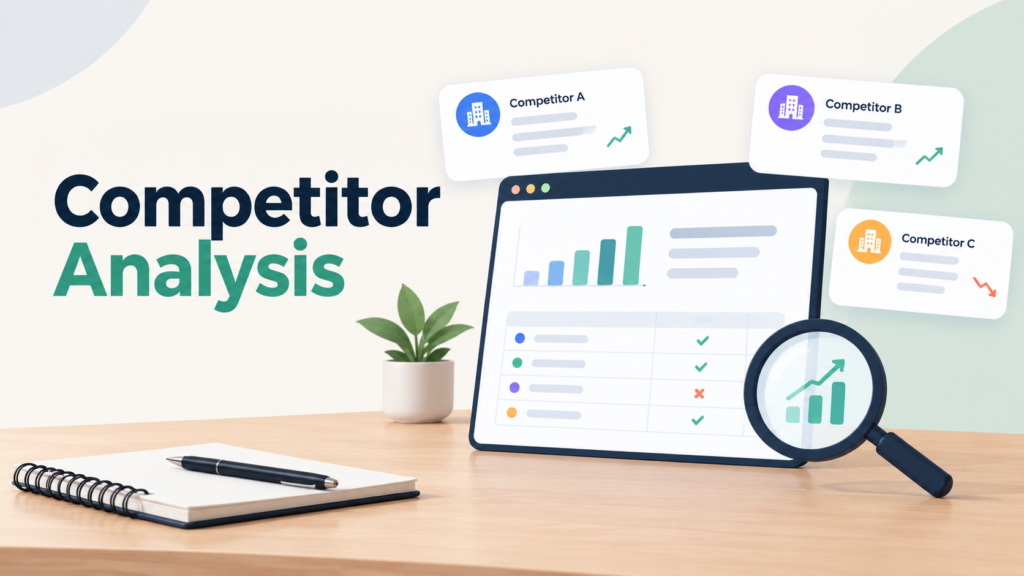
  • Competitor analysis – See what’s already ranking and identify content gaps your writing can fill
  • SEO performance monitoring – Track how content performs over time and report results to clients
  • GEO and local SEO tools – Useful if you write for businesses targeting local audiences

In addition, SurgeAIO helps freelance SEO writers understand AI visibility optimization techniques – a growing skill set that clients increasingly value. As AI search tools become more common, writers who understand how to optimize for them will have a clear edge.


Turn AI Visibility Into Real Revenue.

Automate Leads With SurgeAIO. Don’t Let AI Ignore Your Brand.

Book A Demo →

Ultimately, SurgeAIO saves you time, improves your output quality, and helps you deliver measurable results to every client.

Common Mistakes New Freelance SEO Writers Make

Avoid these pitfalls when starting:

  • Keyword stuffing – Forcing keywords unnaturally hurts readability and rankings
  • Ignoring search intent – Writing what you think people want instead of what they actually search for
  • Underpricing services – Low rates attract low-quality clients
  • Skipping the brief – Always confirm scope, keywords, and goals before writing
  • Not building a portfolio – Without samples, pitching is nearly impossible
  • Writing only for algorithms – Content that doesn’t engage humans won’t rank long-term

Final Thoughts

Learning how to become a freelance SEO writer takes time, but the payoff is worth it. The demand for skilled SEO content is growing – and writers who understand both the craft and the strategy are in a strong position.

Start with the fundamentals, build your portfolio, and pitch consistently. Use tools like SurgeAIO to sharpen your output and deliver better results for clients. Most importantly, commit to continuous learning.

The freelance SEO writing path isn’t always easy. However, with the right approach and genuine dedication, it’s one of the most rewarding remote careers available today.

Frequently Asked Questions

Do I need a degree to become a freelance SEO writer? 

No degree is required. What matters most is your ability to write clearly and understand basic SEO principles. Many successful freelance SEO writers are completely self-taught and built their careers through practice and consistent client work.

How long does it take to start earning as a freelance SEO writer? 

Most writers land their first paid client within one to three months of actively pitching. However, building a reliable, steady income typically takes around six months to a year of consistent effort and portfolio building.

What’s the difference between a content writer and an SEO writer? 

A content writer produces readable, informative pieces. An SEO writer does all of that while also optimizing for search engines – using keyword research, proper heading structure, and strategic internal linking to help content rank on Google.

How much can a freelance SEO writer earn? 

Beginners typically earn $500–$1,500 per month. However, experienced SEO writers working in competitive niches can earn $5,000–$10,000 or more monthly, especially when they secure long-term retainer contracts with consistent, high-paying clients.

Do I need my own website to get clients? 

Not immediately, but having one helps significantly. A professional website with portfolio samples boosts your credibility, makes you easier to find, and shows potential clients that you practice the SEO skills you’re selling them.

Can I use AI tools as a freelance SEO writer? 

Yes, but use them strategically. AI works well for research, outlines, and initial drafts. However, clients hire you for your judgment, voice, and SEO expertise – so always edit thoroughly and add genuine value beyond raw AI output.

What niches pay the most for SEO writing? 

Finance, legal, healthcare, SaaS, and technology consistently offer the highest rates. These industries require accurate, well-researched content and willingly pay a premium for writers who understand both their audience and relevant industry terminology.

How to Add an SEO Company to AdWords: A Complete Guide

SEO AdWords Setup

Running Google Ads without SEO is like driving with one headlight. You get some visibility – but you’re missing half the picture. Many businesses wonder how to add an SEO company to AdWords workflows so both channels reinforce each other.

This guide walks you through the exact steps. Moreover, it explains why combining both strategies is one of the smartest moves you can make for digital growth.

What Does “Adding an SEO Company to AdWords” Actually Mean?

Before diving in, let’s clarify the intent behind this question. It usually means one of two things:

  • Granting an SEO agency access to your Google Ads account so they can align paid and organic strategies
  • Integrating SEO insights into your AdWords campaigns to improve targeting, quality scores, and ROI

Both approaches are valid. In fact, they work best together. Understanding what SEO lead generation means helps you see how organic and paid traffic each feed your pipeline differently – and why aligning them matters.

Step 1: Grant Your SEO Company Access to Google Ads

The first step is giving your SEO partner the right level of account access. Google Ads has a built-in system for this.

Grant Your SEO Company Access to Google Ads

Here’s how to do it:

  1. Log into your Google Ads account
  2. Click the Admin icon (the gear/settings icon) in the top-right corner
  3. Select Access and security from the dropdown menu
  4. Click the blue “+” button to add a new user
  5. Enter the email address of your SEO company contact
  6. Choose the appropriate access level (Standard, Admin, or Read-only)
  7. Click Send Invitation

Your SEO company will receive an email invitation. Once they accept, they can log in using their own Google credentials and work within your account.

Access Levels Explained:

  • Read-only – They can view campaigns and data but cannot make changes
  • Standard – They can create, edit, and manage campaigns (most common for agencies)
  • Admin – Full control, including adding or removing other users

Choose “Standard” access for most SEO and paid search teams. This gives them enough control to align keyword strategies without risking account-level changes.


Turn AI Visibility Into Real Revenue.

Automate Leads With SurgeAIO. Don’t Let AI Ignore Your Brand.

Book A Demo →

Step 2: Connect Google Search Console for SEO Data Sharing

Once your SEO company has Ads access, the next step is linking Google Search Console (GSC). This connection shares organic search data directly inside Google Ads. Therefore, both teams can see which keywords drive organic traffic and which ones you’re paying for.

To link GSC to Google Ads:

  1. Inside Google Ads, go to Tools & Settings
  2. Click Measurement, then select Search Console
  3. Follow the prompts to connect your verified GSC property

This integration reveals keyword overlap between paid and organic results. Your SEO company can then identify where SEO content can reduce your cost per click over time – a significant cost-saving advantage.

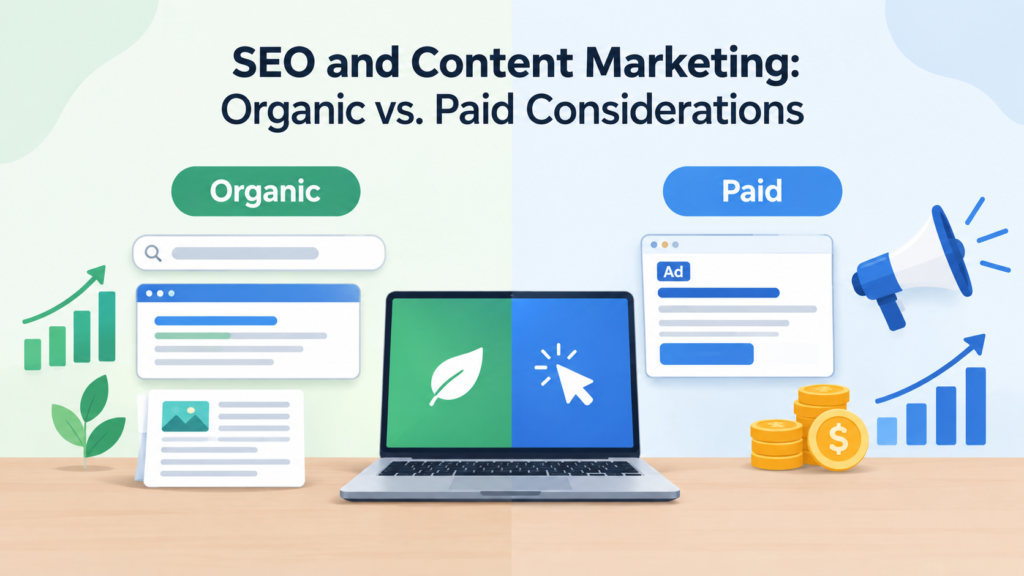
If you’re exploring whether SEO is an organic or paid strategy, this integration answers it clearly: SEO is organic, but it actively improves the efficiency of paid campaigns.

Step 3: Align Keyword Strategy Across Both Channels

This is where the real magic happens. When your SEO company works inside your AdWords account, they can see which paid keywords convert best. They can then build organic content around those same high-intent terms.

Key alignment tactics include:

  • Using AdWords conversion data to prioritize SEO content topics
  • Avoiding keyword cannibalization between paid ads and organic pages
  • Testing new keyword variations via PPC before investing in long-term SEO content
  • Using organic rankings to reduce ad spend on keywords where you already rank #1

Understanding how to outrank your competition on Google becomes much easier when you combine real paid-search data with organic strategy. Your SEO company brings the content expertise; AdWords brings the data.

Step 4: Use a Manager Account (MCC) if the Agency Manages Multiple Clients

If your SEO company manages multiple clients, they likely use a Google Ads Manager Account (also called an MCC – My Client Center). This is a central dashboard that lets agencies oversee many accounts from one login.

Here’s how to add your account to their MCC:

  1. Your SEO company sends you a link request from their Manager Account
  2. You receive the request inside your Google Ads account under Admin > Access and Security > Managers
  3. Review the request and click Accept

This approach is cleaner than sharing login credentials. Additionally, it gives the agency seamless access without compromising your account security.

Many digital marketing and SEO services operate this way. It is a professional, scalable method that protects both the client and the agency.

Step 5: Set Up Shared Reporting and Communication Workflows

Access alone isn’t enough. Your SEO company and your paid search team need to communicate regularly. Therefore, establish a shared reporting workflow from day one.

Set Up Shared Reporting and Communication Workflows

What to track together:

  • Organic vs. paid traffic by keyword
  • Conversion rates for both channels
  • Quality Score improvements driven by SEO landing page optimization
  • Top-performing ad copy that can inform SEO meta descriptions
  • Keyword gaps where neither organic nor paid is performing well

Turn AI Visibility Into Real Revenue.

Automate Leads With SurgeAIO. Don’t Let AI Ignore Your Brand.

Book A Demo →

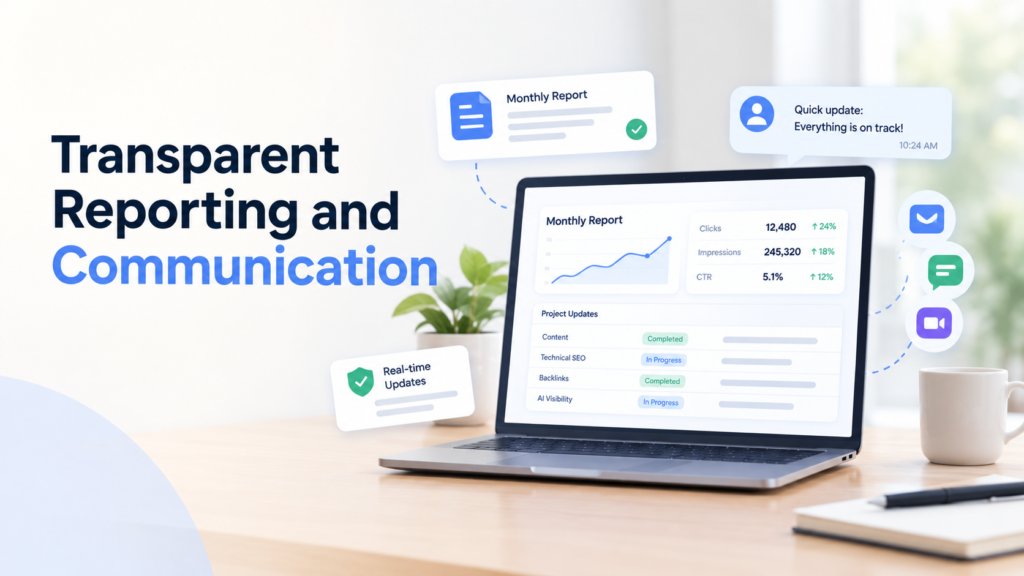
Using tools that track content performance data helps both teams make faster, better decisions. A weekly sync call and a shared dashboard reduce duplication and improve ROI across both channels.

Why Combining SEO and AdWords Delivers Better Results

Businesses often treat SEO and Google Ads as separate budgets and separate teams. However, the data clearly shows a combined approach outperforms either channel alone.

Here is why:

Immediate traffic + long-term authority: AdWords delivers traffic from day one. SEO builds sustainable visibility over months. Together, they cover the full customer acquisition timeline.

Quality Score improvement: Well-optimized landing pages – built with SEO best practices – directly improve your Google Ads Quality Score. A higher Quality Score lowers your cost per click. This means SEO literally saves you money on paid search.

Keyword intelligence: AdWords data shows exactly which keywords trigger conversions. Your SEO company can use that information to write targeted blog posts, landing pages, and service pages. This creates a feedback loop that continuously improves both channels.

Brand trust: Users who see your brand in both paid ads and organic results develop stronger brand recall. They are more likely to click and more likely to convert.

If you’re still wondering whether you need to hire an SEO company at all, the combined AdWords approach is one of the clearest use cases. It multiplies the return on your paid ad investment rather than replacing it.

Common Mistakes to Avoid

Even with access granted and strategies aligned, some teams still fall short. Here are the most common pitfalls:

  • Not sharing keyword data – Keep both teams informed about what’s working in each channel
  • Competing on the same keywords – Bidding on paid ads for keywords you already rank #1 organically wastes budget
  • Ignoring landing page experience – A bad landing page hurts both your organic rankings and your Quality Score
  • Siloed reporting – If SEO and paid are tracked separately, you’ll miss the combined attribution picture
  • Giving Read-only access – This limits what your SEO company can actually do inside the account

Many of these mistakes come down to poor coordination. Knowing how to compare brand visibility across platforms helps you spot gaps before they become costly.

How SurgeAIO Can Help in Terms of SEO

If you want to integrate SEO and paid search strategically, SurgeAIO is built for exactly that.

SurgeAIO is an AI-powered SEO and visibility platform. It helps businesses track keyword performance, measure content effectiveness, and understand how their brand appears across both traditional search engines and AI-driven results.

Here’s what SurgeAIO brings to the SEO + AdWords equation:

  • AI-powered keyword insights to identify high-ROI opportunities across both channels
  • Content optimization tools that improve landing page quality – directly benefiting your AdWords Quality Score
  • AI visibility tracking to see how your brand appears in AI Overviews and generative search results, not just traditional Google results
  • Competitor benchmarking to understand where your paid and organic presence falls short versus rivals
  • GEO and SEO reporting in one unified dashboard, so your SEO company and paid search team share the same data layer

Turn AI Visibility Into Real Revenue.

Automate Leads With SurgeAIO. Don’t Let AI Ignore Your Brand.

Book A Demo →

Moreover, SurgeAIO’s platform supports best practices for AI visibility SEO, which is increasingly important as Google Ads and AI-powered search results overlap. As search behavior shifts, having a platform that tracks both traditional and AI-driven visibility gives your business a genuine edge.

Whether you’re a small business adding an SEO company to your AdWords account for the first time, or a scaling brand looking to unify your digital strategy, SurgeAIO gives you the tools and intelligence to do it right.

Final Thoughts

Knowing how to add an SEO company to AdWords is more than a technical task. It’s the first step toward building a unified digital marketing engine.

When SEO and paid search teams share access, data, and strategy, they reduce waste and amplify each other’s results. Organic content improves Quality Scores. Paid data sharpens SEO targeting. Together, they deliver better leads at a lower total cost.

The businesses that grow fastest online are not the ones spending the most on ads. They are the ones connecting every piece of their digital strategy – and letting each channel make the others stronger.

Frequently Asked Questions

Q1: Can I give my SEO company access to AdWords without sharing my password?

Yes. Use Google Ads’ built-in user management system. Go to Admin u003e Access and Security and invite your SEO company via their email address. They will use their own Google login credentials to access your account.

Q2: What access level should I give an SEO agency in Google Ads?

Standard access is recommended for most agencies. It allows them to create and edit campaigns, view data, and align paid strategy with SEO – without giving full administrative control of your account.

Q3: Does SEO actually improve Google Ads performance?

Yes, directly. Better-optimized landing pages improve your Quality Score in Google Ads. A higher Quality Score lowers your cost per click and improves your ad rank. SEO-driven content improvements therefore reduce your paid search spend over time.

Q4: What is an MCC account and do I need one?

An MCC (Manager Account) is a Google Ads feature for agencies managing multiple client accounts. If your SEO company operates this way, you simply accept a link request inside your Google Ads account. It is cleaner and more secure than credential sharing.

Q5: How long does it take for combined SEO and AdWords efforts to show results?

AdWords delivers traffic almost immediately. SEO results typically build over 3–6 months. However, the synergy benefits – such as better Quality Scores and keyword intelligence – start showing up within the first few weeks of alignment.

Q6: Should my SEO company manage my Google Ads too?

Not necessarily. Some SEO agencies also offer paid search services; others specialize in organic only. The most important thing is that both teams have access to shared data and communicate regularly. Whether it’s one agency or two, coordination is the key.

Q7: Is it safe to give an SEO company access to my Google Ads?

Yes, as long as you use the standard Google Ads invitation system rather than sharing your account password. You can revoke access at any time from the Access and Security settings panel.

How Much Does SEO Service Cost? A Complete Pricing Guide for 2026

SEO Service Cost

One of the first questions every business owner asks before investing in organic search is: ” How much does an SEO service cost? It is a fair question – and the answer varies far more than most people expect.

SEO pricing in 2026 ranges from $300 per month for basic automated local listings all the way to $10,000 or more per month for enterprise-level campaigns. Most small and medium businesses invest between $1,500 and $5,000 per month for quality, results-driven SEO. Understanding what drives those numbers – and what you actually get at each price point – is the key to making a smart investment.

This guide breaks it all down clearly, without the jargon.

The Quick Answer: SEO Service Cost at a Glance

Before diving into the details, here is a fast reference for the most common SEO pricing ranges in 2026:

  • Automated local SEO: $300-$500/month
  • Small-scale local SEO: $1,500-$2,500/month
  • Comprehensive local SEO: $3,000-$5,000/month
  • National or competitive SEO: $5,000-$10,000+/month
  • Hourly consulting: $100-$300/hour
  • Project-based work (audits, migrations): $5,000-$30,000 per project

According to Search Engine Journal’s State of SEO Agency Report, most businesses operate with SEO budgets between $500 and $10,000 per month. Nearly 48.9% of SEO professionals expect their clients’ budgets to increase within the next twelve months – a clear sign that businesses are recognising the long-term value of organic search investment.

The Three Main SEO Pricing Models

Understanding how agencies charge is the first step to evaluating what you are actually paying for. There are three primary models in the industry.

Three Main SEO Pricing Models

1. Monthly Retainer (Most Common)

You pay a fixed monthly fee for ongoing SEO services. This typically includes a defined scope of work – technical fixes, content creation, link building, reporting, and strategy adjustments each month.

Monthly retainers are the most common model because SEO is never a one-time project. Rankings require continuous maintenance, content needs regular updates, and competitors keep optimising. Paying month-to-month means you get consistent attention, accountability, and compounding results over time.

Best for: Businesses seeking steady, long-term organic growth.

This is also the model most closely tied to genuine SEO lead generation – where you build a pipeline of organic traffic that converts consistently rather than paying for each click.

2. Project-Based Pricing

You pay a one-time fee for a specific deliverable – a full site audit, a website migration, a penalty recovery, or a content overhaul. Costs typically range from $5,000 to $30,000, depending on scope and complexity.

Project-based pricing makes sense when you have a defined, one-time problem to solve. However, it rarely sustains results long-term because SEO requires ongoing work. Most businesses that start with a project engagement eventually move to a monthly retainer to maintain and build on the gains.

Best for: Specific technical fixes, site migrations, or initial audits before ongoing work begins.


Turn AI Visibility Into Real Revenue.

Automate Leads With SurgeAIO. Don’t Let AI Ignore Your Brand.

Book A Demo →

3. Hourly Consulting

You pay an experienced strategist or agency by the hour – typically between $100 and $300 per hour – for strategic guidance, audits, or direction while your in-house team handles implementation.

Hourly consulting works well for businesses with a capable internal marketing team that needs expert oversight without full agency management. However, hours can add up quickly, and the lack of accountability for results is a real downside.

Best for: Businesses with in-house teams that need strategic direction, not full execution.

What Affects How Much SEO Service Costs?

No two SEO campaigns are priced identically. Here are the primary factors that determine your actual investment:

Industry competition. Highly competitive industries like law, healthcare, finance, real estate, and home services require more aggressive and sustained strategies. Legal keywords, for example, can carry cost-per-click rates exceeding $1,000 on paid search, which reflects how fiercely businesses in those sectors compete for the same audience organically. Average industry SEO price ranges include Home Services ($1,500–$2,500/month), Healthcare ($3,000–$5,000/month), Law ($2,500–$5,000/month), and Software & IT ($3,000–$5,000/month).

Geographic target. Local SEO targeting one city is far less expensive than national or international campaigns. Multi-location businesses pay more because each location requires its own optimisation, content, and citation building. Understanding the role of geo-targeting in SEO helps businesses decide how broad their strategy should be from day one.

Website age and technical health. A newer website with no domain history, no backlinks, and technical issues costs more to build up than an established site that already has authority. Older sites with years of black-hat link building may require a cleanup phase before meaningful improvements can take hold.

Scope of services required. A comprehensive SEO campaign covering technical optimisation, content creation, link building, Google Business Profile management, reporting, and AI visibility costs significantly more than a basic on-page fix. The more complete the scope, the higher the monthly investment – but also the greater the return.

Business goals and timeline. Aggressive growth targets require more work, more content, and faster execution – all of which raise the monthly cost. Businesses willing to take a longer, more gradual approach can invest less each month, though results will take longer to appear.

Provider experience and reputation. An experienced, US-based agency with a proven track record charges more than a newer provider or offshore team. That premium reflects efficiency, strategic expertise, and the ability to avoid costly mistakes – factors that directly affect your ROI.

Breaking Down SEO Cost by Service Level

Breaking Down SEO Cost by Service Level

Automated Local SEO ($300–$500/month)

This is the most basic tier. It primarily covers ensuring your business information – name, address, phone number – is accurate and consistent across online directories like Yelp, Google, and Yellow Pages. It does not include content creation, link building, or active ranking work.

This tier is appropriate for very small, single-location businesses with minimal competition that simply need their basic online presence managed. It will not drive significant ranking improvements on its own.

Small-Scale Local SEO ($1,500-$2,500/month)

This level covers the fundamentals: targeted content creation, local search optimisation, Google Business Profile management, and some paid ad integration. It is designed for smaller businesses serving a limited geographic area and wanting to compete in local search results without aggressive investment.

At this tier, you can expect early ranking movement within three to four months and moderate lead growth within six months. It is a solid starting point for businesses new to organic search. Pairing this with a strong understanding of local landing page content creation gives small-scale campaigns a faster path to visibility.

Comprehensive Local SEO ($3,000-$5,000/month)

This is the tier at which most established businesses with growth goals operate at. A comprehensive campaign typically includes:

  • Technical SEO auditing and fixes
  • On-page and off-page optimisation
  • Blog content creation and optimisation
  • Link building and citation management
  • Google Business Profile optimisation and management
  • Competitor analysis
  • Monthly reporting and strategy calls
  • Paid search management (in some packages)
  • Reputation and review management

At this investment level, businesses see meaningful ranking improvements within three to six months and consistent lead generation by months six to twelve. The reporting at this tier also tracks the metrics that matter – traffic growth, conversion rates, call tracking, and visibility – not just vanity rankings.

National or Enterprise SEO ($5,000-$10,000+/month)

Businesses competing nationally or in multiple large markets require significantly more investment. This level covers high-volume content production, aggressive link building, advanced technical work, and ongoing competitive strategy across dozens or hundreds of target keywords.

Enterprise campaigns also increasingly incorporate AI visibility optimisation – ensuring the brand appears in Google AI Overviews, ChatGPT responses, and other generative search results. This is where staying current with AI visibility optimization techniques becomes a core part of the monthly deliverables, not an afterthought.


Turn AI Visibility Into Real Revenue.

Automate Leads With SurgeAIO. Don’t Let AI Ignore Your Brand.

Book A Demo →

Is Cheap SEO Worth It?

The short answer is no. An average SEO specialist in the US earns upwards of $70,000 annually. If an agency is charging $150 to $500 per month for “full-service SEO,” the math does not work out. At $300 per month, a provider can only allocate two to four hours to your account. That is not enough time to move the needle on any meaningful SEO metric.

Agencies charging below market rates typically fall into one of three categories: they use automated tools that produce minimal results, they rely on offshore labour with little quality control, or they use tactics that violate Google’s guidelines – including spammy link schemes, keyword stuffing, and mass AI-generated content. Any of these approaches can result in a Google penalty that takes six to twelve months and a high cost to recover from.

The minimum viable investment for legitimate SEO services from a reputable provider is $1,500 per month. Below that threshold, expect slow or no meaningful progress. If your budget is currently under that level, focus on inexpensive SEO tools to handle the basics yourself while saving to invest properly.

Red Flags to Watch For When Hiring an SEO Agency

Not every agency that quotes you a number is worth hiring. Watch for these warning signs:

  • Guaranteed rankings. No ethical, experienced agency can guarantee a specific position on Google. The algorithm has hundreds of ranking factors, many of which are outside anyone’s direct control. Any guarantee is either targeting irrelevant keywords or a red flag for black-hat tactics.
  • Vague reporting. Good agencies show you specific keyword ranking changes, organic traffic trends, pages optimised, and links earned – with real data. If a monthly report shows only social media followers or general “improvements,” ask for specifics.
  • No explanation of strategy. If an agency cannot clearly explain what they will do each month and why, do not hire them. Legitimate SEO strategies are not secrets.
  • Prices too good to be true. As noted, quality SEO requires substantial time and expertise. Suspiciously low pricing almost always means corner-cutting.
  • Lock-in contracts with no results clause. Reputable agencies are confident enough in their work to operate on shorter commitments, typically six-month initial sprints followed by month-to-month. Long lock-in contracts are a way to trap clients who are not getting results.

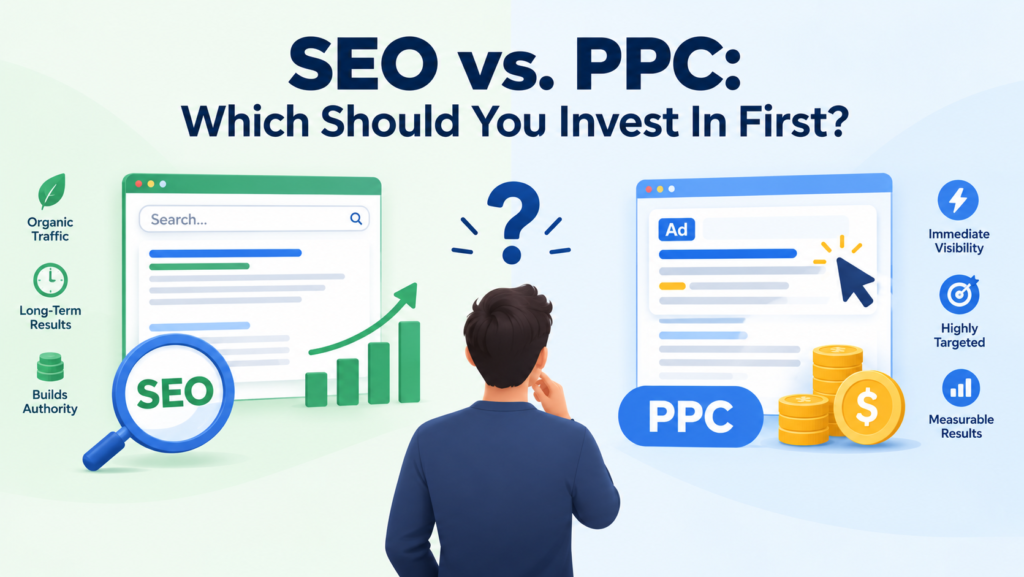
SEO vs. PPC: Understanding the Long-Term Value

Many businesses ask whether they should spend their budget on SEO or paid advertising. The honest answer depends on your timeline – but the long-term economics strongly favour SEO.

With PPC, you pay for every click. The moment you stop paying, your traffic disappears. Your cost per lead stays constant or increases over time as competition for ad space grows. With SEO, your cost per lead decreases over time as content compounds, authority builds, and rankings strengthen. At the twelve to eighteen-month mark, well-executed SEO typically delivers three to five times the ROI of a comparable paid search investment.

However, SEO takes longer to produce visible results. Most businesses begin seeing meaningful ranking improvements within three to six months, with significant traffic and lead growth between months six and twelve. This is not slow – it is simply the nature of building something that lasts. If you need leads next week, paid search is the faster lever. If you want to build a durable, low-cost lead source for the next three to five years, SEO is the smarter investment.

Understanding whether SEO is organic or paid and how both channels complement each other helps businesses allocate their marketing budget more effectively across the funnel.

How AI is Changing SEO Pricing in 2026

Search is evolving rapidly. Traditional Google rankings are no longer the only metric that matters. Google AI Overviews now appear in over half of tracked keywords. ChatGPT processes more than 5.3 billion visits per month. Traditional search engine volume is projected to drop 25% by 2026 due to the rise of AI assistants.

This shift means modern SEO must also include Generative Engine Optimisation (GEO) – the practice of ensuring your content gets cited by AI platforms, not just ranked on traditional search results pages. Businesses that appear in AI-generated answers gain significant visibility with users who never click a traditional search result.

When evaluating SEO agencies in 2026, ask specifically whether GEO is included in their services. Reputable agencies integrate this into standard monthly work – structured content, FAQ schema, E-E-A-T signals, and author authority building. Agencies charging separately for GEO as an expensive add-on are likely rebranding what should be standard modern practice. Tracking your AI visibility metrics alongside traditional rankings gives you the full picture of how your brand is performing across both search environments.

How SurgeAIO Can Help in Terms of SEO

Understanding how much SEO service costs is only the first step. Getting genuine value from that investment requires knowing exactly where your money should go, what is working, and where opportunities exist.

SurgeAIO helps businesses make smarter SEO decisions by providing a single platform to track keyword rankings, monitor AI visibility, identify content gaps, and benchmark performance against competitors. Instead of relying on monthly reports from an agency and hoping the numbers tell the right story, SurgeAIO gives you clear, real-time data to hold your strategy accountable.

For businesses managing their own SEO or working with an agency, SurgeAIO provides the transparency and intelligence needed to ensure every pound or dollar invested in SEO is generating measurable returns. It also tracks your presence in AI-generated search results – ensuring you are not invisible in the growing portion of searches that bypass traditional blue links entirely.


Turn AI Visibility Into Real Revenue.

Automate Leads With SurgeAIO. Don’t Let AI Ignore Your Brand.

Book A Demo →

Whether you are just starting to invest in organic search or scaling an established campaign, SurgeAIO gives you the visibility and direction to make every investment count.

Final Thoughts

How much does an SEO service cost? For most businesses, the realistic answer is $1,500 to $5,000 per month for quality, ongoing services – with the investment level determined by your competition, goals, geographic scope, and the level of service required.

The most important principle is to invest properly or not at all. Cheap SEO rarely produces results and can actively damage your rankings. Quality SEO, delivered consistently over six to twelve months, becomes one of the most cost-effective and durable marketing channels your business can build.

Understand what you are paying for. Ask hard questions. Demand transparent reporting. And choose a partner that treats your investment with the strategic seriousness it deserves.

Frequently Asked Questions

Q: How much does an SEO service cost for a small business? 

Small businesses should budget $1,500-$3,500/month. Single-location businesses start at $1,500-$2,000/month. Competitive or multi-location businesses need $2,500-$3,500/month. Below $1,500/month rarely delivers meaningful results.

Q: Is SEO worth the cost for small businesses? 

Yes. When done properly, SEO delivers a strong ROI over 18-24 months. Organic rankings compound over time, continuously lowering your cost per lead – making it one of the most cost-effective marketing channels available.

Q: How long before I see results from my SEO investment? 

Most businesses see early improvements within 3-4 months and meaningful traffic growth by months 6-12. Months 1-2 are foundation work. Anyone promising results in 30 days is a red flag.

Q: What is included in a monthly SEO retainer? 

A monthly retainer typically covers technical SEO, content creation, link building, Google Business Profile management, competitor analysis, and reporting. In 2026, quality agencies will also include AI visibility optimisation and GEO.

Q: Why do some agencies charge so much more than others? 

Price reflects experience, expertise, and hours allocated. A $300/month agency gives you 2-3 hours per month. A $3,000/month agency delivers 20-30+ hours of coordinated specialist work – with dramatically different outcomes.

Q: Should I hire an agency or do SEO myself? 

DIY works if you have 10-20 hours/month and the right tools. However, factoring in time, tool costs, and learning curve, hiring an agency is often more cost-effective for most business owners.

How Many Words Should a Blog Post Be for SEO? The Real Answer

Blog Post Length

Ask ten SEO professionals how many words a blog post should be for SEO, and you will likely get ten different answers. Some say 1,500. Others insist on 2,500. A few will tell you 3,000 or more for competitive topics.

Here is the truth: there is no single magic number. However, there are clear, data-backed ranges that consistently outperform, and understanding the logic behind them makes all the difference between content that ranks and content that sits unread on page five.

This guide gives you a complete, practical answer – based on research, not guesswork.

What Google Actually Says About Blog Post Length

Before diving into word counts, let us address what matters most: Google’s own position. Google has stated clearly and repeatedly that word count is not a direct ranking factor. Google’s John Mueller confirmed this publicly, stating that a page with more words is not automatically seen as higher quality than a shorter page.

Google’s Martin Splitt reinforced this in the SEO Mythbusting series – the number of words on a page is not tallied up and used as a quality signal.

However, this does not mean length is irrelevant. It means length is a byproduct of quality, not a cause of it. Longer content tends to rank better because it tends to cover topics more thoroughly, earn more backlinks, and satisfy more aspects of search intent. Those are the actual ranking factors. Length is simply the result of doing those things well.

The practical takeaway: write as much as your topic genuinely requires, then stop. Do not pad content to hit a number, and do not cut content short when the topic demands depth. This principle sits at the core of what elements are foundational for SEO with AI – helpfulness and thoroughness always win over arbitrary benchmarks.

What the Data Actually Shows

Multiple large-scale studies have analyzed the relationship between content length and search performance. Their findings converge on consistent, useful conclusions.

What the Data Actually Shows

A Backlinko analysis of 11.8 million Google search results found the average first-page result contains approximately 1,447 words. Orbit Media’s annual blogger survey landed at a similar figure of around 1,427 words. This convergence across independent studies with different methodologies gives strong confidence in the 1,400-1,500 word range as a reliable baseline for most blog content.

However, averages do not tell the full story. Semrush research found that top-performing content averages just 1,152 words, while low-performing posts average 668 words. This suggests efficiency and quality matter far more than simply maximizing length.

HubSpot’s research pointed to an ideal range of 2,100-2,400 words for blog posts targeting SEO. That is notably higher than most writers expect – and far higher than the 200-500 word posts many brands still default to.

Meanwhile, a Backlinko and BuzzSumo analysis of 912 million blog posts found that content exceeding 3,000 words receives 77.2% more backlinks on average than content under 1,000 words. This is significant because backlinks are an actual ranking factor. Longer content earns more links, which drives rankings – not the length itself.

One more important data point: Ahrefs analysis of 174,000 pages cited in Google AI Overviews found that cited content averaged just 1,282 words. More than half of all AI Overview citations went to pages under 1,000 words. This signals that for AI-generated search results, concise, direct answers are increasingly favored. Understanding how to show up in AI Overviews is becoming just as important as a traditional ranking strategy.


Turn AI Visibility Into Real Revenue.

Automate Leads With SurgeAIO. Don’t Let AI Ignore Your Brand.

Book A Demo →

Recommended Word Counts by Content Type

Different content formats serve different purposes. Here are data-backed ranges for each:

  • Pillar pages and ultimate guides: 3,000-5,000+ words. These cornerstone pieces establish topical authority and compete for high-volume, competitive keywords.
  • How-to guides: 1,700-2,500 words. Step-by-step instructional content needs enough space to cover each step clearly, address edge cases, and troubleshoot common issues.
  • Standard informational blog posts: 1,400-1,500 words. The research consensus for regular content – substantial enough to provide real value, concise enough to maintain reader engagement.
  • Listicles: 1,500-2,500 words. This allows roughly 150-250 words per item in a 10-item list, giving each point enough depth to be genuinely useful.
  • Opinion and thought leadership: 1,000-1,500 words. Perspective-driven content where argument quality matters more than exhaustive coverage.
  • News posts and timely updates: 400-800 words. Speed and clear information delivery take priority over depth.
  • Quick-answer content (featured snippets): 300-500 words. Short, structured, direct answers perform best here.

These are starting points, not rigid rules. Always validate your target length against what is currently ranking for your specific keyword.

The 4 Factors That Should Determine Your Blog Post Length

Generic word count advice only gets you so far. These four factors give you a precise framework for every content decision.

1. Search Intent

This is the most important factor of all. What is the searcher actually trying to accomplish? Someone searching “what is SEO” wants a quick, clear definition. Someone searching “complete SEO strategy for B2B SaaS” expects a comprehensive guide.

Match your content depth to what the searcher genuinely needs – not what feels impressive. A 3,000-word article answering a simple question will frustrate readers. A 600-word article attempting to cover a complex topic will leave them unsatisfied.

Properly aligning content to intent is central to understanding whether SEO is organic or paid – organic search success depends entirely on serving what users actually want.

2. Topic Complexity

Simple topics stretched to meet word count targets produce thin, repetitive content. Complex topics compressed into too few words leave critical questions unanswered.

“How to reset a password” might work perfectly at 700-800 words with clear steps. “How to build a content marketing strategy from scratch” legitimately requires 2,500-3,000+ words to cover research, planning, creation, distribution, and measurement properly.

Let the genuine complexity of the topic guide your length – not the other way around.

3. Competitor Benchmarking

The most reliable method for determining the right length for any specific topic is analyzing what already ranks. Search your target keyword and check the word counts of the top five to ten results.

Add those counts together, divide by the number of results, and aim to produce content within plus or minus 20% of that average – while prioritizing quality over simply matching a number.

If competitors average 1,800 words, targeting between 1,440 and 2,160 words is a solid starting range. If they are all around 900 words, writing 3,000 words will not automatically win – it may just mean unnecessary padding that dilutes your focus.

This competitor-first approach pairs well with a strong competitive analyses of keywords strategy that identifies not just how your competitors write but what they rank for.

4. Audience Expertise Level

Writing for beginners requires more definitions, explanations, and context – naturally extending your word count. Content for experts can skip fundamentals entirely and focus on advanced applications, often delivering equal value in fewer words.

A technical SEO guide written for senior developers can move faster than the same guide written for business owners with no technical background. Always calibrate depth to your reader’s starting knowledge level.

Why Quality Always Wins Over Word Count

Google’s algorithm is designed to satisfy search intent, and intent determines whether short or long content wins for a given query. The biggest mistake content teams make is adding words without adding value.

Padding content with repetitive points, obvious filler sentences, or tangentially related information does not help rankings. In fact, Google’s systems can recognize content that adds little value to the web – and longer posts stuffed with filler can actually hold a site back.

Here is what Google rewards in 2026:

  • Substance and evidence – Facts, data, sourced claims, and expert insight
  • Clear structure – Logical headings, readable paragraphs, scannable formatting
  • Comprehensive topic coverage – Addressing the questions users actually have, not just the primary keyword
  • Genuine helpfulness – Content that leaves readers better informed than before they arrived

Turn AI Visibility Into Real Revenue.

Automate Leads With SurgeAIO. Don’t Let AI Ignore Your Brand.

Book A Demo →

These qualities are not functions of word count. They are functions of research, clarity, and editorial judgment. Investing in the best content optimization tools for SEO can help you audit and improve existing content rather than simply producing more of it.

When Shorter Content Beats Longer Content

The longer-is-better narrative is incomplete. There are specific scenarios where brevity consistently wins.

When Shorter Content Beats Longer Content

Featured snippets. Google extracts concise, direct passages for featured snippets – typically a single paragraph or short list. Overly long explanations rarely get selected. Direct, structured answers in the 40–60 word range perform best for snippet capture.

News and trending content. Timeliness matters more than depth for news posts. Readers want the key facts quickly. A clear, well-written 500-word update outperforms a padded 1,500-word article every time.

Simple how-to content. When a process has three clear steps, writing ten paragraphs to explain them wastes the reader’s time and signals poor editorial judgment to Google.

AI Overview citations. As noted above, content cited in AI Overviews averaged just 1,282 words, and over half of citations went to pages under 1,000 words. For queries where AI Overviews appear, concise and direct answers hold the advantage.

Understanding the future of SEO means recognizing that AI-driven search results are changing, which content formats win visibility – and adapting your length strategy accordingly.

A Practical Framework for Deciding Blog Post Length

Stop guessing. Follow these steps every time:

Step 1: Identify the search intent. Is it informational, navigational, commercial, or transactional? The intent type immediately narrows your appropriate format and approximate length.

Step 2: Search your target keyword. Look at the top five to ten results. Note their approximate word counts and the format they use (guides, lists, short answers, etc.).

Step 3: Calculate the competitor average. Add up the word counts and divide. Aim to stay within ±20% of that average unless you have specific, substantive reasons to go longer.

Step 4: Outline for completeness, not length. Build your outline to answer every genuine question a reader might have about your topic. If your outline naturally fills 2,000 words, write 2,000 words. If it fills 800, write 800.

Step 5: Cut what does not add value. After drafting, review every paragraph for genuine contribution. Remove repetition, obvious filler, and tangents. Tighter writing almost always ranks better than padded writing.

This process connects directly to how content performance data should inform your ongoing content decisions – using real engagement metrics to understand which lengths actually work for your specific audience.

How SurgeAIO Can Help in Terms of SEO

Deciding how many words a blog post should be for SEO is only one part of building content that ranks. SurgeAIO gives you the data to make smarter content decisions across your entire site.

With SurgeAIO, you can track which existing pages are gaining traction, identify content gaps where your competitors are ranking, and you are not, and monitor your AI visibility alongside traditional search rankings. This means you always know which posts need to be expanded, which topics you have not covered yet, and how your content strategy is performing in real time.


Turn AI Visibility Into Real Revenue.

Automate Leads With SurgeAIO. Don’t Let AI Ignore Your Brand.

Book A Demo →

Moreover, SurgeAIO helps you understand how your content appears in AI-powered results – an increasingly important visibility channel as AI visibility optimization techniques become essential to any serious SEO strategy in 2026.

Instead of guessing at word counts and hoping for the best, SurgeAIO gives you concrete, actionable direction – so your content investment consistently moves the needle.

Final Thoughts

The question – how many words should a blog post be for SEO – does not have a single right answer. The right answer is always: as many words as your topic genuinely needs to satisfy your reader completely.

Use the data as your guide. Most informational blog posts perform best between 1,500 and 2,500 words. Comprehensive guides and pillar content benefit from 3,000 words or more. Quick-answer content and timely news can succeed at under 800 words.

Focus on thorough coverage, clear structure, and genuine helpfulness. Let the word count follow from your commitment to quality – not the other way around.

Frequently Asked Questions

Q: How many words should a blog post be for SEO in 2026? 

For most informational blog posts, 1,500-2,500 words hit the sweet spot. Pillar pages and ultimate guides benefit from 3,000-5,000+ words. Quick-answer content and news posts can succeed at 400–800 words. Match the length to your search intent and competitor benchmarks, not a fixed number.

Q: Does Google rank longer blog posts higher? 

Not automatically. Google ranks content that best satisfies search intent. Longer content often ranks better because thorough coverage earns more backlinks and satisfies more user questions – but length alone is not the cause. Quality and relevance are.

Q: Is a 500-word blog post too short for SEO? 

Not always. For simple queries, news updates, and featured snippet targets, 400-800 words can rank well. However, for competitive informational keywords, 500 words is typically insufficient to cover the topic thoroughly enough to compete.

Q: Do longer blog posts get more backlinks? 

Research from Backlinko and BuzzSumo shows that content exceeding 3,000 words earns 77.2% more backlinks than content under 1,000 words. Longer content tends to be more comprehensive and therefore more linkable – but only when the extra length adds genuine value.

Q: How does blog post length affect AI Overviews? 

Ahrefs research found that pages cited in AI Overviews averaged just 1,282 words, with over 53% of citations going to pages under 1,000 words. For queries that trigger AI Overviews, concise, structured, directly helpful content holds a clear advantage.

Q: Should I update short old blog posts to rank better? 

Yes – if they cover topics that merit more depth. Expanding thin posts with genuine value, updated data, and additional coverage of related questions consistently improves rankings. However, do not pad them with filler just to hit a word count target.

How Many SEO Keywords Per Page Should You Actually Use?

SEO Keywords Guide

It is one of the most debated questions in digital marketing. Business owners, content creators, and SEO professionals all want to know: how many SEO keywords per page should you target to rank well on Google?

The standard answer you will hear is one primary keyword plus two to four supporting variations per page. However, that advice only tells half the story. If you follow it blindly – especially across a growing website – you will likely run into keyword cannibalization, thin content, and missed traffic opportunities.

This guide breaks down the full picture: the accepted best practice, why it works, where it falls short, and how a smarter approach can multiply your results without overcomplicating your strategy.

Why Keywords Still Matter in 2026

Before diving into numbers, it is worth understanding why keywords remain foundational to SEO. Search engines use keywords to understand what your page is about and match it to relevant user queries.

Without properly placed keywords, Google cannot confidently rank your page for the right searches. Keywords are how you communicate your topic to both search engines and real human readers.

However, keyword strategy has evolved significantly. Google no longer rewards pages that simply repeat a phrase dozens of times. Today, it rewards pages that comprehensively address a topic and genuinely satisfy the searcher’s intent. Understanding what elements are foundational for SEO with AI helps you see how keyword strategy fits into a much broader signals landscape.

The Standard Rule: 1 Primary + 2-4 Supporting Keywords

The widely accepted industry recommendation is to target one main keyword and two to three close variations per page. This formula has remained consistent across major SEO authorities for good reason – it works for most websites at most stages of growth.

The Standard Rule: 1 Primary + 2-4 Supporting Keywords

Here is how the components break down:

Primary keyword – Your core target. It should be the term with the highest search volume that best represents what the page is about. This appears in your title tag, H1 heading, meta description, and naturally throughout the body content.

Supporting keywords – Related terms, synonyms, or long-tail variations that provide context. For example, if your primary keyword is “content marketing strategy,” supporting keywords might include “content planning,” “editorial calendar,” and “blog content strategy.”

Keyword density – Most experts recommend keeping your primary keyword density between 1% and 2%. More importantly, keywords should appear naturally. Forcing them into awkward sentences hurts readability and signals keyword stuffing to Google.

Where you place your keywords matters just as much as how many you use. Standard best-practice placement includes:

  • Title tag (primary keyword ideally near the beginning)
  • H1 heading
  • First 100 words of the content
  • At least two to three subheadings (H2s and H3s)
  • Meta description
  • Image alt text where relevant
  • Naturally, throughout the body paragraphs

Turn AI Visibility Into Real Revenue.

Automate Leads With SurgeAIO. Don’t Let AI Ignore Your Brand.

Book A Demo →

This formula gives search engines clear signals about your page’s focus while keeping content readable and user-friendly.

Why “Less Is More” When It Comes to Keywords Per Page

Targeting fewer, more focused keywords per page consistently outperforms trying to rank for too many at once. Here is why:

It keeps your content laser-focused. When you target one primary keyword, your entire page – from the headline to the conclusion – stays tightly aligned to a single topic. That clarity helps Google understand your page faster and rank it more confidently.

It prevents keyword dilution. Targeting two completely different main keywords on one page splits the page’s authority between them. Neither keyword gets the full weight of your optimization effort, which weakens your ranking potential for both.

It avoids keyword cannibalization. This is one of the most damaging SEO mistakes. Cannibalization happens when multiple pages on your site target the same or very similar keywords. Google has to pick one to rank and often picks poorly – leaving both pages weaker than a single, well-optimized page would be.

It enables precise on-page optimization. Writing a title tag, meta description, and header structure is far easier when you are focused on one keyword. Trying to serve multiple primary keywords in one page forces compromises that hurt both rankings and user experience.

How Many Keywords Can One Page Actually Rank For?

Here is the part that surprises most website owners: a single well-optimized page can realistically rank for dozens – sometimes hundreds – of related keywords. This happens naturally when you create comprehensive, high-quality content around one specific topic.

For example, an article targeting “how many SEO keywords per page” will naturally pick up rankings for variations like “number of keywords per page,” “keywords per blog post,” “optimal keyword count for SEO,” and many more. You did not intentionally optimize for those – Google recognized the relevance and ranked you for them anyway.

This phenomenon is sometimes called the “trickle-down effect.” When Google trusts that your page is the best resource for a topic, it extends that trust to related searches automatically.

This is why your goal should not be to stuff as many keywords into a page as possible. Instead, focus on creating the most thorough, useful content on the topic. The keyword variations will follow. Pairing this with a strong keyword gap strategy helps you identify which topics your competitors are capturing that you are missing entirely.

The Problem with Page-by-Page Keyword Thinking

The 1+2-4 formula works well for individual pages. However, as your content library grows, page-by-page keyword targeting creates serious problems.

Keyword cannibalization at scale. Imagine publishing three separate articles – one about “email marketing tips,” one about “email marketing strategies,” and one about “email marketing best practices.” Each targets slightly different wording, but all three serve the same search intent. Google now has to choose which one to rank. Instead of one strong page dominating, you have three weaker pages competing against each other.

Inconsistent coverage. Without a systematic approach, you end up with duplicate content in some areas and significant content gaps in others. You might have five articles on the same topic and zero articles on an adjacent high-traffic topic you simply missed.

Wasted research. Keyword research typically uncovers dozens of related terms. The traditional approach forces you to either ignore most of them or awkwardly create separate thin pages for each variation – both of which hurt your SEO in the long run.

This is where keyword clustering becomes a game-changer. Rather than thinking keyword by keyword and page by page, you group related keywords by shared search intent and assign one cluster per page. This eliminates cannibalization, captures more traffic per page, and creates a scalable content strategy. Combining this with competitive analyses of keywords tells you which clusters your competitors are already winning and which gaps remain open for you.

Keyword Density: What It Means and What to Ignore

Keyword density refers to how often your primary keyword appears as a percentage of the total word count. A 1,500-word article with your keyword appearing 15 times has a 1% keyword density.

Keyword Density: What It Means and What to Ignore

The recommended range is 1% to 1.5% for most pages. However, this metric is far less important than it used to be. Google’s algorithms have grown sophisticated enough to evaluate topical relevance without needing a specific keyword frequency.

What actually matters today:

  • Does the content comprehensively address the topic?
  • Are keywords placed in contextually meaningful locations (title, H1, early paragraphs)?
  • Does the page use semantically related terms naturally throughout?
  • Is the content readable and genuinely useful to the person searching?

Obsessing over hitting a precise keyword density often leads to unnatural writing. Write for your reader first. If your keyword appears naturally five to eight times in a 1,000-word article, that is entirely sufficient.

One critical mistake to avoid is keyword stuffing – repeating the same phrase excessively in an attempt to manipulate rankings. Google explicitly penalizes this practice. A page that reads unnaturally because of forced keyword repetition will not rank well and will drive readers away immediately. Understanding why keywords are important for SEO at a strategic level helps you avoid both under-optimization and over-optimization.


Turn AI Visibility Into Real Revenue.

Automate Leads With SurgeAIO. Don’t Let AI Ignore Your Brand.

Book A Demo →

How Many Keywords for Different Page Types?

Not every page on your website follows the same keyword rules. Here is how to approach different page types:

Blog posts and articles – Target one primary keyword with two to three supporting variations. Long-form content naturally covers more semantic ground, which helps you pick up additional rankings organically.

Service pages – Focus tightly on one primary keyword per service. If you offer ten services, create ten dedicated pages. Do not try to consolidate multiple service keywords onto one page, as it dilutes each service’s ranking potential and confuses searchers.

Product pages – Target one product-specific keyword. Use supporting keywords in product descriptions, bullet points, and technical specifications. Avoid duplicating the same description across multiple similar products.

Homepage – This is where many site owners go wrong. Your homepage should target your single most important brand or category keyword. Do not try to rank your homepage for every service or product you offer. Let individual service pages carry those keywords.

Location pages – Target one geo-specific keyword per location page. If you serve ten cities, create ten separate pages, each targeting the relevant location-specific search term. Creating content for local landing pages for SEO explains exactly how to structure these pages for maximum local visibility.

Common Keyword Mistakes That Hurt Your Rankings

Even experienced SEOs make these errors. Knowing them in advance saves you months of lost traction:

  • Targeting too many unrelated keywords on one page – This confuses both Google and your readers. Each page needs a clear, singular focus.
  • Ignoring long-tail keywords – Long-tail phrases are less competitive and convert better. Targeting “SEO services for small law firms” is far more achievable than “SEO services” and attracts a more qualified audience.
  • Repeating keywords across multiple pages without differentiating intent – If two pages target the same keyword, Google will pick one and ignore the other. Audit your site regularly to catch cannibalization early.
  • Keyword stuffing in titles and headings – Cramming your keyword into every H2 and H3 looks manipulative and reads poorly. Use supporting and semantic variations in subheadings instead.
  • Ignoring search intent – A keyword’s volume is meaningless if your page does not match what the searcher actually wants to find. Informational, commercial, and transactional queries each need a different type of content.

Avoiding these mistakes keeps your strategy clean and gives each page its best chance to rank. If you are questioning whether certain SEO approaches are even worth pursuing, do you need SEO for your website is a useful starting point to ground your thinking.

How to Choose the Right Primary Keyword for Each Page

Selecting the right primary keyword is the most important decision in your keyword strategy. Here is a simple framework:

Step 1: Research volume and competition. Use keyword research tools to identify terms with meaningful search volume but manageable competition. For new websites, targeting lower-competition keywords first builds authority faster.

Step 2: Confirm search intent. Search your target keyword and look at the top-ranking pages. Are they blog posts, product pages, or service pages? Whatever format dominates the top 10 results is the format Google expects – match it.

Step 3: Check for cannibalization. Search your own site to confirm you do not already have a page targeting the same keyword. If you do, decide whether to consolidate the pages or differentiate their intent clearly.

Step 4: Align with business goals. High search volume means nothing if the keyword does not attract your target audience. Prioritize keywords that bring in the type of visitors most likely to convert. This is exactly what effective SEO lead generation is built on – matching keyword intent to business outcomes.

How SurgeAIO Can Help in Terms of SEO

Managing keywords across dozens or hundreds of pages manually is error-prone and time-consuming. SurgeAIO simplifies the entire process by giving you a centralized platform to research, track, and optimize your keyword strategy at scale.

With SurgeAIO, you can identify which keywords each page currently targets, spot cannibalization issues before they damage your rankings, and track how your keyword positions shift over time. The platform surfaces clear, data-backed recommendations – so you spend less time guessing and more time executing.

Moreover, SurgeAIO tracks your visibility in AI-powered search results, including Google AI Overviews and other generative search features. As AI visibility optimization techniques become increasingly critical alongside traditional keyword rankings, having a single platform that monitors both gives you a significant competitive edge.


Turn AI Visibility Into Real Revenue.

Automate Leads With SurgeAIO. Don’t Let AI Ignore Your Brand.

Book A Demo →

Whether you are optimizing your first ten pages or managing a content library of thousands, SurgeAIO scales with your needs and keeps your keyword strategy organized, effective, and ahead of algorithm changes.

Final Thoughts

The answer to how many SEO keywords per page is not as rigid as many guides suggest. The standard rule – one primary keyword plus two to three supporting variations – is a solid starting point. However, the real goal is always to match search intent, cover your topic comprehensively, and give Google a clear signal about what your page is about.

Focus on quality and clarity over keyword volume. Let one page own one topic. Audit regularly for cannibalization. And as your content library grows, think in terms of keyword clusters rather than individual terms – it is the approach that scales without creating chaos.

Apply these principles consistently, and your keyword strategy will build compounding authority over time rather than working against itself.

Frequently Asked Questions

Q: Can I use the same keyword on multiple pages? 

Using the same primary keyword on multiple pages creates keyword cannibalization. Google must choose which page to rank, and typically ranks both pages poorly as a result. Each page should have a unique primary keyword that clearly differentiates its focus.

Q: Does keyword density still matter in 2026? 

Keyword density matters less than it did five years ago. Focus on natural placement in key locations – title, H1, first paragraph, and a few subheadings – and let the rest of your content flow naturally. Aim for roughly 1% to 1.5% as a general guide, not a rigid rule.

Q: How many keywords should a 1,000-word article target? 

A 1,000-word article should target one primary keyword and two to three supporting variations. At 1% to 1.5% density, your primary keyword should appear approximately 10 to 15 times naturally throughout the content.

Q: Should long-form content target more keywords? 

Not necessarily more primary keywords – but longer content naturally ranks for more variations and long-tail terms. A 3,000-word article might rank for 50 or more related keywords without you intentionally targeting each one.

Q: Is it better to create separate pages for each keyword variation? 

Only if those keyword variations represent meaningfully different search intents. If two variations serve the same intent – for example, u0022best running shoes for beginnersu0022 and u0022running shoes for new runnersu0022 – target them both on one page. If their intents differ significantly, separate pages make sense.

Q: What is the fastest way to find the right keywords for each page? 

Start with a keyword research tool to find terms with the right volume and competition balance. Then, verify search intent by reviewing what already ranks. Finally, check your own site for existing coverage to avoid duplication before creating any new content.

How Long Does SEO Take to Work? The Real Answer Nobody Tells You 

SEO Results Timeline

Everyone wants a straight answer. Business owners, marketers, and startup founders all ask the same question before investing in organic search: how long does it take to see results from SEO?

The honest answer? Most websites begin seeing measurable SEO results within 3 to 6 months. Stronger, compounding gains typically appear between 6 and 12 months. And for highly competitive industries, meaningful traction can take 12 to 24 months.

However, this timeline is not universal. Multiple factors shape how fast – or slow – your SEO moves. Understanding those factors is the first step to setting realistic expectations and building a strategy that actually delivers.

Why SEO Takes Time in the First Place

SEO is not like paid advertising. When you run a Google Ad, you get traffic the same day. The moment you stop paying, that traffic disappears. SEO, on the other hand, builds equity over time.

Search engines evaluate dozens of signals before ranking a page. They assess your content quality, your backlink profile, your technical health, your domain authority, and your user engagement signals. None of that happens overnight.

Moreover, Google deliberately slows down ranking transitions. A well-known Google patent describes a process called “rank transition,” where ranking changes are phased gradually rather than applied immediately. This protects the algorithm from manipulation and explains why you might see your rankings fluctuate before they stabilize.


Turn AI Visibility Into Real Revenue.

Automate Leads With SurgeAIO. Don’t Let AI Ignore Your Brand.

Book A Demo →

Think of SEO like compounding interest. The longer and more consistently you invest, the faster the growth compounds. Paid ads are a treadmill – you only move while you are on it. SEO builds an asset that keeps paying dividends long after the initial work is done.

That said, understanding what SEO lead generation actually looks like helps you set the right business expectations from day one.

The SEO Timeline: What to Expect Month by Month

Here is a realistic breakdown of what typically happens at each stage of an SEO campaign.

The SEO Timeline: What to Expect Month by Month

Months 0-1: Audit, Setup, and Foundation

The first month is rarely about rankings. Instead, your SEO team focuses on understanding exactly where your site stands. This phase includes:

  • Technical SEO audits
  • Fixing crawl errors and broken links
  • Improving page speed and mobile performance
  • Keyword research tied to search intent
  • Competitor analysis and content gap identification

You will not see rankings move yet. However, this foundational work is critical. Without it, every other effort is built on sand.

Months 2-3: Early Signals Appear

By months two and three, implemented changes begin to take effect. Google starts re-crawling updated pages. Long-tail keyword rankings begin to appear. Impressions in Google Search Console rise before clicks do.

This is also when content performance data becomes your best friend. Rising impressions are an early positive signal – they confirm that Google is surfacing your content for more queries, even if traffic has not spiked yet.

Months 4-6: Traction Phase

This is the window where most business owners first see momentum. Organic traffic begins to increase. Some pages climb into the top 10 for lower-competition keywords. Featured snippets and local results start to strengthen.

Additionally, if you are in a local market, AI local SEO signals become visible here – especially in map packs and Google Business Profile rankings. Local businesses often see faster early wins than national brands.

Months 6-12: Authority and Momentum Build

By the six-month mark, SEO starts doing what it does best. Competitive keywords begin to move. High-quality content earns backlinks naturally. Brand mentions increase. Organic traffic compounds month over month.

At this stage, SEO transitions from an experiment into a reliable growth channel. Rankings become more predictable and consistent.

12 Months and Beyond: Compounding Returns

A year into a well-executed strategy, the compounding effect is real. Earlier content continues to gain authority. New pages rank faster because of the domain trust already built. The overall cost per organic lead decreases significantly.

In fact, research from Ahrefs found that 95% of newly published pages do not reach the top 10 within a year. However, pages from established domains with strong authority can rank new content much faster – which is exactly why building domain authority from day one matters so much.

Key Factors That Affect How Long SEO Takes

No two websites share the same starting point. Here are the most important variables that determine your specific timeline.

Key Factors That Affect How Long SEO Takes

1. Website Age and Domain Authority

Brand-new domains move more slowly. Search engines have no historical data to evaluate – no backlinks, no engagement signals, no branded search demand. Established domains with existing authority can rank new content significantly faster.

2. Competition in Your Niche

Highly competitive keywords – those targeted by well-funded, authoritative websites – require more time and resources to rank for. Low-competition, long-tail keywords can show results in as little as two to three months. Understanding your competitive keyword analysis upfront helps you prioritize the fastest wins first.

3. Technical SEO Health

If Google cannot efficiently crawl and index your site, no amount of content or links will save you. Common issues that extend the SEO timeline include:

  • Slow page speed
  • Broken internal links
  • Duplicate content
  • Incorrect canonical tags
  • JavaScript rendering problems

One famous case: Groupon added dynamic content to its homepage that browsers could display, but Google could not render. Once the fix was applied, their SEO-driven revenue increased by 120% in a single quarter.


Turn AI Visibility Into Real Revenue.

Automate Leads With SurgeAIO. Don’t Let AI Ignore Your Brand.

Book A Demo →

4. Content Quality and Search Intent Alignment

Churning out low-quality content for the sake of volume actively hurts your rankings. Google’s systems identify and penalize thin, unhelpful content. The “great SEO heist” case study showed a site that scaled AI-generated content rapidly, peaked briefly, then collapsed.

Quality, intent-aligned content always wins in the long run. Moreover, understanding whether your content is earned or owned media helps you build a more strategic content plan.

5. Backlink Profile

Backlinks remain one of Google’s top ranking signals. However, quality matters far more than quantity. A single link from a relevant, authoritative source outperforms hundreds of spammy links.

Building a natural, diverse backlink profile takes consistent effort over months. If you are wondering exactly how many you need, this guide on how many backlinks you need breaks it down by site type and competition level.

6. Budget and Resources

SEO timelines are directly tied to how much you invest. A team with developers, writers, designers, and data analysts moves significantly faster than a solo founder doing everything manually. More resources mean faster implementation and faster results.

How SEO Timelines Are Changing in 2026

The SEO landscape has shifted considerably. Today, results do not always appear as a traditional click in analytics. They appear as:

  • Brand citations in AI-generated answers
  • Zero-click featured snippets
  • Map pack appearances
  • Voice search responses
  • AI Overview summaries

Up to 55% of Google searches now display an AI Overview. Up to 58% of searches result in zero clicks. This means your brand can influence buying decisions before a user ever visits your site.

Therefore, measuring SEO success in 2026 requires tracking AI visibility metrics alongside traditional rankings and traffic. Brands that appear in AI answers and featured snippets win far more mindshare than their click data suggests.

Understanding the future of SEO – including how AI Overviews, GEO, and AEO are reshaping search – is essential for anyone building a long-term organic strategy right now.

Common SEO Timeline Myths – Debunked

Myth: “You’ll see results in 30 days.” Rarely true, unless you operate in an extremely low-competition niche with an already-established domain. For most businesses, 30 days is barely enough to complete a proper audit.

Myth: “More content means faster results.” False. Publishing thin, low-value content at scale triggers algorithmic penalties, not rewards. Strategic, helpful content always beats volume.

Myth: “Once you rank, you stay there.” Rankings shift constantly. A Semrush study found that while 41% of domains reached the top 10 within six months, only 27% stayed there through the 13-month study period. Maintenance and continuous optimization are non-negotiable.

Myth: “SEO takes years to work.” For some highly competitive YMYL (Your Money or Your Life) industries – such as law, finance, and healthcare – yes, timelines are longer. However, a well-optimized site in a moderate niche can see meaningful results within six months.

How to Measure SEO Progress Correctly

Do not just watch for ranking jumps. Instead, track these leading indicators that signal positive momentum:

  • Impressions rising in Google Search Console (before clicks)
  • Crawl errors are reducing after technical fixes
  • New pages are getting indexed within days of publication
  • Long-tail keywords are beginning to appear in position tracking
  • Organic session growth in GA4 month over month
  • AI visibility signals – whether your brand appears in AI answers

Turn AI Visibility Into Real Revenue.

Automate Leads With SurgeAIO. Don’t Let AI Ignore Your Brand.

Book A Demo →

Tracking content performance data consistently allows you to identify which pages are gaining traction and double down on what is already working.

How SurgeAIO Can Help in Terms of SEO

SurgeAIO gives you a significant advantage over doing SEO blindly. The platform tracks your keyword rankings, identifies technical issues, monitors your AI visibility, and delivers clear, actionable recommendations – all in one place.

For businesses asking how long it takes to see results from SEO, SurgeAIO answers that question with real data. It shows you where you stand today, which opportunities are available right now, and how your competitors are positioned, so you know exactly where to focus first.

Moreover, SurgeAIO tracks your presence across both traditional search results and AI-powered answers like Google AI Overviews and ChatGPT. As zero-click searches grow, knowing where your brand shows up in AI results becomes just as important as tracking keyword rankings.

The platform also supports faster technical diagnostics. Instead of waiting weeks to discover a crawlability issue, SurgeAIO surfaces problems early – so you can fix them before they extend your timeline unnecessarily.

Whether you are three months into your SEO journey or just starting, SurgeAIO provides the visibility and clarity you need to make smarter decisions, move faster, and see results sooner.

Final Thoughts

The question – how long does it take to see results from SEO – does not have a single answer. It depends on your domain age, your niche, your competition, your content quality, your technical foundation, and how much you consistently invest.

However, the pattern is clear: businesses that approach SEO as a long-term compound investment win. Those who expect overnight results waste their budget and quit too soon.

Start with a solid technical audit. Build quality content aligned to search intent. Earn authoritative backlinks. Track the right metrics from day one. And use a platform like SurgeAIO to stay ahead of both algorithmic shifts and AI search changes.

The best time to start your SEO strategy was six months ago. The second-best time is today.

Frequently Asked Questions

Q: How long does it take to see results from SEO for a brand-new website? 

New websites typically need 4-6 months before seeing consistent results. Search engines need time to evaluate your domain’s trustworthiness, build a backlink profile, and index your content.

Q: Can local businesses see SEO results faster? 

Yes. Local SEO – especially Google Business Profile optimization – often delivers visible results within weeks, particularly in less competitive local markets. Map pack visibility can appear much sooner than national keyword rankings.

Q: Why do impressions increase before traffic does? 

Search engines test content relevance before rewarding clicks. Rising impressions signal that Google is surfacing your pages for queries – it is an early positive indicator that your strategy is working.

Q: Does publishing more content speed up SEO? 

Not necessarily. Consistent, high-quality content accelerates results. Low-quality content published at scale can actually slow down your SEO by diluting your site’s authority and wasting crawl budget.

Q: Is SEO still worth it with AI search changing everything? 

Absolutely. AI systems surface trusted, authoritative sources. SEO is what determines whether you are one of those trusted sources. In 2026, strong SEO makes you more visible in both traditional search and AI-generated answers – not less.

Q: What is the fastest way to see early SEO wins? 

Focus on long-tail, low-competition keywords, fix technical issues immediately, and optimize your Google Business Profile. These three actions consistently produce the fastest early wins.

How Local SEO Helps Attract Local Customers: A Business Guide

Local SEO Benefits

Every day, millions of people search for businesses near them. They type “plumber near me,” “best coffee shop in [city],” or “dentist open now” – and Google delivers a list of local results within seconds. The businesses that appear at the top of those results are not there by luck. They’ve invested in local SEO.

Understanding how local SEO helps attract local customers is one of the most valuable things a small or medium business owner can do in 2025. This guide breaks down exactly how it works, what strategies drive results, and how to build a local SEO presence that consistently brings customers through your door.

What Is Local SEO?

Local SEO is the process of optimising your online presence to attract customers from specific geographic areas. Unlike traditional SEO, which targets broad, national audiences, local SEO focuses on connecting your business with people who are physically nearby and actively searching for what you offer.

When someone searches for a product or service with local intent, Google surfaces three types of results:

  • The Local Pack – a map-based section showing three nearby businesses with ratings, addresses, and contact details
  • Google Maps results – an extended map view of local businesses
  • Organic local results – standard search results that feature locally relevant pages

Appearing in the Local Pack alone can transform a business’s visibility. It sits above organic results and captures a significant share of clicks from high-intent local searchers.

Local SEO is particularly powerful for service-based businesses. Understanding SEO for home service leads demonstrates how plumbers, electricians, cleaners, and similar businesses generate consistent, qualified leads through local search optimisation.


Turn AI Visibility Into Real Revenue.

Automate Leads With SurgeAIO. Don’t Let AI Ignore Your Brand.

Book A Demo →

Why Local SEO Matters More Than Ever

Consumer behaviour has shifted dramatically toward local, mobile-first search. Consider these realities:

  • A large majority of local searches on smartphones result in a visit to a business within 24 hours
  • “Near me” searches have grown consistently year over year
  • Most people who search locally with purchase intent visit or contact a business the same day
  • Local search results receive significantly higher click-through rates than national results for location-based queries

Moreover, local SEO levels the playing field. A well-optimised local business can outrank a national competitor in its own geographic area. This is a unique advantage that smaller businesses can genuinely exploit – if they approach local SEO with the right strategy.

How Local SEO Helps Attract Local Customers: 8 Core Ways

How Local SEO Helps Attract Local Customers: 8 Core Ways

1. Improved Visibility in Local Search Results

The most direct way local SEO helps attract local customers is by making your business visible when and where it matters most. When a nearby customer searches for your category of service, local SEO ensures your business appears prominently – in the Local Pack, on Google Maps, and in organic results.

Each of these placements drives traffic with strong local intent. Users searching locally are not browsing casually. They are looking for a business to contact, visit, or purchase from. Appearing in front of them at that precise moment is enormously valuable.

Location-specific keyword targeting is central to this. Optimising your pages and content for terms like “your service + city” or “your service + near me” signals to Google that your business is relevant to searches in that area.

2. Google Business Profile Optimisation

Your Google Business Profile (GBP) – formerly Google My Business – is the single most important local SEO asset for most businesses. It controls how your business appears in the Local Pack, Google Maps, and the knowledge panel in search results.

A fully optimised Google Business Profile includes:

  • Accurate business name, address, and phone number (NAP)
  • Correct business category and subcategories
  • Comprehensive business description with relevant keywords
  • Up-to-date opening hours, including holiday hours
  • High-quality photos of your premises, products, or team
  • Regular Google Posts sharing offers, news, and updates
  • Responses to all customer reviews

An incomplete or unverified GBP listing weakens your local visibility. Conversely, a well-maintained profile increases your credibility and directly improves your chances of appearing in the Local Pack.

3. Targeting High-Intent Local Searchers

Local search traffic is some of the highest-quality traffic available to any business. People searching locally are typically close to a purchasing decision. They know what they want. They just need to find the right provider nearby.

This is fundamentally different from broad informational search traffic. A person searching “best accounting software” is researching. A person searching “accountant in Manchester” is ready to hire.

SEO services for accountants illustrate this perfectly – local keyword targeting converts at significantly higher rates than national keyword strategies for service professionals whose clients come from a defined geographic area.


Turn AI Visibility Into Real Revenue.

Automate Leads With SurgeAIO. Don’t Let AI Ignore Your Brand.

Book A Demo →

4. Building Trust Through Online Reviews

Online reviews are a powerful trust signal – both for potential customers and for search engines. Google considers review quantity, quality, and recency as ranking factors in local search.

A business with 200 positive reviews and a 4.7 star rating will consistently outperform a competitor with 20 reviews, even if the competitor’s service is equivalent.

Effective review strategies include:

  • Actively asking satisfied customers to leave Google reviews
  • Responding promptly to all reviews – positive and negative
  • Addressing negative feedback professionally and constructively
  • Using review content to identify and improve service gaps

Positive reviews build trust before a customer even visits your website. They signal social proof at the exact moment someone is deciding which local business to choose.

5. Mobile Search Dominance

The majority of local searches happen on mobile devices. Someone standing on a street corner, sitting in a waiting room, or driving past a neighbourhood will pull out their phone to find a nearby business.

Mobile optimisation is therefore inseparable from local SEO success. A slow, mobile-unfriendly website loses local customers at the point of discovery – even if it ranks well in search results.

Mobile-optimised local SEO ensures:

  • Fast page load times on mobile connections
  • Click-to-call buttons that connect searchers instantly
  • Easy-to-read contact information and directions
  • Maps integration that opens seamlessly on mobile devices
  • Simple, conversion-focused page layouts on smaller screens

AI local SEO is also reshaping how mobile local searches deliver results – with AI-generated answer summaries increasingly featuring local business recommendations based on structured data, reviews, and location signals.

6. Local Landing Pages That Drive Conversions

For businesses serving multiple locations or a wide geographic area, local landing pages are one of the most effective tools in local SEO.

A local landing page is a dedicated page optimised for a specific city, neighbourhood, or region. It includes location-specific content, local keywords, relevant testimonials, and contact information tailored to that area.

These pages help you rank for location-specific searches without competing on a broad national level. They also improve user experience by presenting locally relevant information – rather than forcing a visitor in Birmingham to read about services in London.

Creating content for local landing pages for SEO is a proven strategy for expanding local reach across multiple service areas while maintaining relevance and specificity in each market.

7. Local Citations and NAP Consistency

A local citation is any online mention of your business’s name, address, and phone number (NAP). Citations appear on business directories, review platforms, social media profiles, and industry-specific listing sites.

Consistent, accurate citations across the web reinforce your business’s legitimacy and location signals to search engines. Inconsistencies – different phone numbers, misspelled addresses, or outdated information – confuse both search engines and customers.

Key citation sources for local SEO include:

  • Google Business Profile
  • Bing Places for Business
  • Apple Maps
  • Yelp
  • Facebook Business Page
  • Industry-specific directories relevant to your sector
  • Local Chamber of Commerce listings

Building and maintaining clean, consistent citations is foundational local SEO work. It requires regular auditing to catch and correct any inconsistencies that emerge over time.

8. Local Link Building

Earning links from other locally relevant websites is one of the strongest local ranking signals available. Local links tell Google that your business is genuinely embedded in its community – not just geographically present, but actively part of the local ecosystem.


Turn AI Visibility Into Real Revenue.

Automate Leads With SurgeAIO. Don’t Let AI Ignore Your Brand.

Book A Demo →

Effective local link-building strategies include:

  • Sponsoring local events or charities that publish sponsor lists online
  • Getting featured in local news publications or community blogs
  • Partnering with complementary local businesses for cross-promotions
  • Joining local business associations that link to member websites
  • Contributing expert commentary to local publications

Backlink companies for SEO can help accelerate link acquisition – but for local SEO, organic community-based link building often delivers the strongest and most durable results.

Local SEO Strategies by Business Type

Local SEO is not one-size-fits-all. Different business types require tailored approaches.

Local SEO Strategies by Business Type

Service-Area Businesses (plumbers, electricians, cleaners) – Focus on city-specific landing pages, Google Business Profile service areas, and review generation. You may not have a physical storefront – your GBP should reflect a service area rather than a fixed address.

Brick-and-Mortar Retail – Prioritise Google Maps visibility, in-store visit tracking, and local inventory optimisation. Photos and opening hours are critical for this category.

Professional Services (lawyers, accountants, doctors) – Build trust through detailed local landing pages, professional credentials, and consistent review management. High-value clients research thoroughly before committing.

Restaurants and Hospitality – Menu optimisation, booking integrations, photo-rich GBP profiles, and active management of review platforms like TripAdvisor and Yelp are essential.

For medical and aesthetic services in particular, lead generation for aesthetic clinics shows how local SEO combined with targeted content strategies consistently fills appointment books with qualified local patients.

Measuring Local SEO Success

Tracking the right metrics ensures your local SEO investment is delivering tangible results.

Key local SEO metrics to monitor:

  • Local Pack rankings – position in the map-based results for target keywords
  • Google Business Profile insights – views, clicks, calls, and direction requests
  • Organic traffic from local searches – tracked by geography in Google Analytics
  • Phone call volume – attributed to organic local search via call tracking
  • Review count and average rating – tracked over time across all platforms
  • Local keyword rankings – position in organic results for location-specific terms
  • Conversion rate from local landing pages – form submissions and calls per visit

Review these metrics monthly. Local SEO compounds over time – consistent optimisation produces accelerating results as authority and trust build.

How SurgeAIO Can Help in Terms of SEO

SurgeAIO provides businesses with the tools and intelligence to execute a powerful local SEO strategy – from initial setup through ongoing optimisation and reporting.

Here is how SurgeAIO supports local customer acquisition:

Local Keyword Research – SurgeAIO identifies the highest-value local search terms for your business category and geographic area. Find the queries your target customers are actually using – then build content and optimisation around them.

Local Ranking Tracking – Monitor your rankings for local keywords across specific cities and neighbourhoods. Track your Local Pack position alongside organic rankings to get a complete picture of your local visibility.

Google Business Profile Optimisation Guidance – SurgeAIO analyses your GBP setup and identifies specific improvements that will strengthen your Local Pack presence – from category selection to photo optimisation and post frequency.

Local Landing Page Strategy – The platform helps you plan and optimise location-specific landing pages across your service area – ensuring each page is properly structured, keyword-optimised, and internally linked.


Turn AI Visibility Into Real Revenue.

Automate Leads With SurgeAIO. Don’t Let AI Ignore Your Brand.

Book A Demo →

Technical SEO Auditing – Local SEO depends on a technically sound website. SurgeAIO audits for crawlability issues, mobile performance problems, and page speed bottlenecks that silently undermine local rankings.

AI Visibility for Local Search – As AI Overviews and AI-generated local recommendations become more prevalent, SurgeAIO tracks your brand’s presence in AI-generated local search results – a growing source of local customer discovery.

Competitor Intelligence – Understand which local competitors are winning in your market, which keywords they rank for, and where their local SEO strategy has gaps you can exploit.

Whether you’re a single-location business or managing SEO across multiple service areas, SurgeAIO gives you the data and tools to attract more local customers consistently.

Final Thoughts

How local SEO helps attract local customers is not a complicated story. It puts your business in front of people who are nearby, searching for exactly what you offer, and ready to act. That combination of proximity, intent, and timing is extraordinarily powerful.

The businesses winning in local search are not necessarily the largest or the best-funded. They’re the ones that have claimed and optimised their online presence, built trust through reviews, created locally relevant content, and earned local authority through consistent effort.

Start with your Google Business Profile. Build your local citations. Create location-specific content. And track your results consistently. Local SEO rewards patience and consistency – and the businesses that commit to it reap the rewards for years.

Frequently Asked Questions

Q1. How long does local SEO take to show results? 

Most businesses see meaningful improvement in local rankings and traffic within 3 to 6 months of consistent local SEO effort. Google Business Profile optimisation often shows faster results – sometimes within weeks. More competitive markets may take longer to see significant movement.

Q2. Is local SEO only for small businesses? 

No. Local SEO is valuable for any business that serves customers in a specific geographic area – regardless of size. National brands with local branches, franchises, and multi-location businesses all benefit significantly from local SEO investment.

Q3. Do I need a website for local SEO? 

A website is highly recommended but not strictly required. You can appear in local search results through your Google Business Profile alone. However, a well-optimised website dramatically strengthens your local rankings and gives you far more control over your online presence.

Q4. How important are reviews for local SEO? 

Reviews are extremely important. They influence both your local rankings and your click-through rate. Businesses with more positive reviews consistently attract more clicks and conversions. Actively managing your review profile is one of the highest-ROI local SEO activities available.

Q5. What is the difference between local SEO and regular SEO? 

Regular SEO targets broad national or global audiences. Local SEO targets customers in a specific geographic area. Local SEO uses additional signals – Google Business Profile, NAP citations, local reviews, and location-specific content – that are not relevant to standard SEO campaigns.

Q6. Can local SEO work for service-area businesses without a physical address? 

Yes. Service-area businesses – those that travel to customers rather than having a storefront – can configure their Google Business Profile to show a service area rather than a physical address. All other local SEO strategies apply equally.

Q7. How do online reviews affect local rankings? 

Google uses review signals as a ranking factor in local search. The quantity, quality, recency, and diversity of reviews all contribute to your local ranking strength. Businesses that actively generate and respond to reviews consistently outperform those that ignore this element of local SEO.

How Important Is a Sitemap for SEO? Everything You Need to Know

SEO Sitemap Guide

Some SEO elements are visible and celebrated – content, backlinks, and keyword rankings. Others work quietly in the background, keeping the entire system running. A sitemap is firmly in the second category.

If you’ve ever wondered how important is a sitemap for SEO, the answer is more nuanced than a simple yes or no. Sitemaps are not a magic ranking boost – but without one, your website risks being crawled inefficiently, indexed incompletely, and left behind by competitors whose pages search engines can find and process without friction.

This guide explains what sitemaps are, why they matter, how they’ve evolved in 2026, and what best practices ensure yours is working as hard as possible for your site.

What Is a Sitemap?

A sitemap is a file that lists all the important URLs on your website, along with additional metadata about each page. That metadata typically includes:

  • Last modified date – when the page was last updated
  • Change frequency – how often the page is expected to change
  • Priority – the relative importance of a page compared to others on the site

Think of a sitemap as a roadmap you hand directly to search engines. Instead of forcing Google’s crawlers to discover every page by following links, you present a clear, organised list of exactly what exists on your site and what matters most.

This becomes especially critical for large websites, newly launched sites with few inbound links, and pages that are buried deep within a site’s architecture – where crawlers might never naturally reach them.

Types of Sitemaps

Not all sitemaps are the same. Different types serve different purposes depending on your content and goals.

Types of Sitemaps

XML Sitemap – The most common type. It lists your key page URLs and metadata in a format designed for search engine crawlers. Most SEO discussions refer to this type by default.

HTML Sitemap – A user-facing page that lists your site’s pages in a readable format. It helps visitors navigate your site and provides an additional internal linking structure for crawlers.

Image Sitemap – Helps search engines discover and index images on your site. Particularly valuable for e-commerce platforms, photography portfolios, and image-heavy websites.

Video Sitemap – Enables search engines to index video content efficiently. Essential for tutorial sites, product demonstration pages, and media publishers.

News Sitemap – Required for sites participating in Google News. Ensures time-sensitive articles are indexed rapidly and appear in news search results.

Each type plays a distinct role in ensuring comprehensive coverage of your website by search engines. For most businesses, the XML sitemap is the priority – but adding image or video sitemaps where relevant adds another layer of indexing strength.

How Important Is a Sitemap for SEO? The Real Answer

Sitemaps do not directly improve your rankings. Google has confirmed this. However, they significantly improve your website’s ability to be crawled and indexed efficiently – and without indexing, ranking is impossible.

Here’s why sitemaps matter for SEO in practical terms:

1. Faster Discovery of New and Updated Pages

When you publish a new page or update existing content, you want Google to find it quickly. Without a sitemap, crawlers must discover new content by following internal links – a process that can take days or even weeks.

With a sitemap, you actively notify search engines about new or updated URLs. This accelerates the indexing process considerably, which matters most for time-sensitive content like news, product launches, or promotional pages.

2. Better Crawl Budget Management

Search engines allocate a finite amount of crawling resources to each website – known as crawl budget. For large sites with hundreds or thousands of pages, crawlers cannot visit every URL in every crawl cycle.


Turn AI Visibility Into Real Revenue.

Automate Leads With SurgeAIO. Don’t Let AI Ignore Your Brand.

Book A Demo →

A well-configured sitemap helps direct crawl budget toward your highest-priority pages. This ensures your most important content gets indexed consistently, rather than wasted crawl resources being spent on low-value or duplicate URLs.

This is a key reason why technical SEO and CMS platform choice both influence sitemap performance – the platform you build on determines how easily sitemaps are generated, maintained, and submitted.

3. Surfacing Orphan Pages

An orphan page is a page with no internal links pointing to it. Crawlers discover pages primarily by following links – so orphan pages are essentially invisible to search engines without a sitemap.

A comprehensive XML sitemap ensures that even orphan pages get submitted for indexing. This is particularly valuable during site rebuilds, content migrations, or when launching large batches of new content simultaneously.

4. Supporting Complex Site Architectures

E-commerce sites, news portals, and content-heavy platforms often have thousands of pages organised across complex hierarchical structures. Even the most sophisticated crawlers can miss pages when site architecture becomes dense.

A sitemap cuts through that complexity. It provides a direct inventory of everything that exists – eliminating guesswork for search engine bots and ensuring no critical page gets overlooked.

What Has Changed with Sitemaps in 2026?

Sitemaps have evolved significantly since their introduction in 2005. Back then, they were critical simply because search engines were far less capable of discovering and indexing content independently.

Today, Google and other search engines use machine learning, link analysis, and content recognition to crawl the web with far greater sophistication. However, sitemaps have not become redundant – they’ve become smarter and more multifunctional.

In 2026, sitemaps serve multiple roles beyond pure SEO:

  • UX designers use visual sitemaps to plan site architecture before wireframing and development begin
  • Content managers use sitemaps to prioritise which pages need to be created or updated first
  • Marketers use sitemaps to understand content flow and identify gaps in topic coverage
  • Developers use sitemaps to plan workload estimates for new site builds

Additionally, as AI-driven search continues to reshape how pages are discovered and evaluated, sitemaps play a supporting role in ensuring that content is structured and accessible in ways that AI crawlers can process efficiently. Understanding what elements are foundational for SEO with AI makes it clear that technical accessibility – including sitemap health – underpins everything else.

Sitemap Best Practices for SEO

Having a sitemap is the first step. Optimising it is what separates strong technical SEO from average performance.

Sitemap Best Practices for SEO

Follow these best practices to get the most from your sitemap:

Include only indexable, canonical URLs. Your sitemap should list pages you actually want indexed. Exclude noindex pages, duplicate URLs, redirects, and low-value URLs like filtered category pages or internal search results.

Keep it updated automatically. Use a CMS plugin or platform feature that automatically updates your sitemap whenever you publish, update, or remove content. A stale sitemap misleads crawlers and wastes indexing resources.

Submit your sitemap to Google Search Console. Go to the Sitemaps section and submit your sitemap URL directly. This gives Google a direct channel to receive your sitemap and allows you to monitor indexing status and errors.

Use sitemap index files for large sites. Individual sitemaps have a limit of 50,000 URLs and 50MB uncompressed. For large sites, create a sitemap index file that references multiple individual sitemap files – one for blog posts, one for products, one for service pages, and so on.

Monitor sitemap errors regularly. Google Search Console reports errors when URLs in your sitemap cannot be crawled or indexed. Review these regularly and fix underlying issues promptly.

Match sitemap URLs to canonical URLs. If your pages use canonical tags, ensure the URLs in your sitemap exactly match the canonical versions. Discrepancies confuse crawlers and weaken indexing signals.

Prioritise high-value pages. Use the priority field strategically – assign a higher priority to your most commercially important pages. This guides search engines toward your key conversion pages first.


Turn AI Visibility Into Real Revenue.

Automate Leads With SurgeAIO. Don’t Let AI Ignore Your Brand.

Book A Demo →

Common Sitemap Mistakes That Hurt SEO

Even well-intentioned sitemaps can create problems when configured incorrectly. Avoid these common errors:

  • Including 404 pages – submitting broken URLs signals poor site health to search engines
  • Including redirected URLs – list only final destination URLs, not pages that redirect elsewhere
  • Bloating the sitemap with low-quality pages – thin content, duplicate pages, and parameter URLs dilute the value of your sitemap
  • Forgetting to update after site migrations – when URLs change, sitemaps must be updated immediately to reflect new structures

Speaking of migrations – SEO for a site migration is one of the highest-risk scenarios in technical SEO, and sitemap accuracy is critical to preserving rankings when URL structures change.

Sitemaps and Local SEO

For businesses targeting local markets, sitemaps play a supporting role in local SEO strategy. Local landing pages – city-specific or region-specific service pages – must be indexed to rank in local search results.

A properly configured sitemap ensures all local landing pages are submitted for indexing, even if internal linking across those pages is thin. This is particularly relevant for businesses with many location-specific pages spread across a large site.

Creating content for local landing pages for SEO is only effective if those pages are indexed – and a comprehensive sitemap is what makes that indexing happen reliably.

Do You Always Need a Sitemap?

Google has stated that small, simple websites with good internal linking may not strictly need a sitemap. If every page on your site is reachable from the homepage within a few clicks, crawlers will likely find everything without one.

However, even for small sites, a sitemap adds negligible cost and meaningful insurance. There is no downside to having one – only potential upside.

For any site that fits the following criteria, a sitemap is essential:

  • More than a few hundred pages
  • Newly launched with limited inbound links
  • Contains content updated frequently
  • Uses JavaScript-heavy architecture that crawlers may struggle to process
  • Has undergone a recent site migration or URL restructuring
  • Contains important pages that are not well-linked internally

In short: if you’re serious about SEO, you should have a sitemap – regardless of site size. And if your site is large or complex, a sitemap is non-negotiable.

How SurgeAIO Can Help in Terms of SEO

SurgeAIO helps businesses build and maintain the technical SEO foundations that support strong, sustainable organic performance – including everything related to sitemap health and crawlability.

Here is how SurgeAIO supports your technical SEO:

Technical SEO Auditing – SurgeAIO automatically scans your website for technical issues that affect indexing, including sitemap errors, crawl anomalies, orphan pages, and broken URLs. Issues are flagged clearly with prioritised fix recommendations.

Crawlability Monitoring – The platform tracks how well search engines are discovering and indexing your pages over time. You can see which pages are indexed, which are excluded, and why – in one clear dashboard.

Content and URL Management – SurgeAIO helps you manage your URL structure intelligently, ensuring that your sitemap always reflects the most current, canonical version of your site – free of redirects, duplicates, and low-value URLs.


Turn AI Visibility Into Real Revenue.

Automate Leads With SurgeAIO. Don’t Let AI Ignore Your Brand.

Book A Demo →

Site Migration Support – When URL structures change, SurgeAIO helps track the impact on indexing and rankings, alerting you to pages that drop out of crawl coverage so you can address them quickly.

AI Visibility and Indexing Intelligence – As AI search tools increasingly reference indexed web content to generate answers, SurgeAIO ensures your content is structured and technically accessible in ways that support both traditional crawling and AI-driven discovery.

Performance Reporting – Clear, actionable reports show how your technical SEO health – including sitemap performance – translates into organic traffic and ranking improvements over time.

Whether you’re managing a small business website or a large enterprise platform, SurgeAIO provides the technical visibility you need to ensure nothing important is left unindexed.

Final Thoughts

How important is a sitemap for SEO? It is foundational. Not in the way that great content or strong backlinks are – but in the way that a solid foundation supports everything built on top of it.

A sitemap ensures search engines can find your pages, index them efficiently, and prioritise the content that matters most to your business. It protects against orphan pages, crawl budget waste, and indexing gaps that silently undermine even the best content strategies.

Set it up correctly. Keep it updated. Monitor it regularly. And let it do the quiet but essential work of making sure every important page on your site gets the visibility it deserves.

Frequently Asked Questions

Q1. Does a sitemap directly improve my Google rankings? 

No - a sitemap does not directly boost rankings. However, it improves crawling and indexing efficiency, which is a prerequisite for ranking. Without proper indexing, even excellent content cannot rank.

Q2. How do I submit a sitemap to Google? 

Go to Google Search Console, navigate to the Sitemaps section, enter your sitemap URL (typically yoursite.com/sitemap.xml), and click Submit. Google will then begin processing your sitemap and report any errors.

Q3. How often should I update my sitemap? 

Your sitemap should update automatically whenever you add, modify, or remove content. Most modern CMS platforms - including WordPress with Yoast or Rank Math - handle this automatically. If yours does not, update manually whenever significant content changes occur.

Q4. What is the difference between an XML and an HTML sitemap? 

An XML sitemap is designed for search engine crawlers - it lists URLs and metadata in a machine-readable format. An HTML sitemap is a user-facing page listing your site's content in a human-readable format. Both serve different purposes, and ideally, both should exist on your site.

Q5. Can a sitemap hurt my SEO? 

A poorly configured sitemap can create problems - for example, if it includes 404 pages, redirects, or noindex URLs. These signal poor site health to search engines. Always audit your sitemap regularly to ensure it only contains clean, indexable, canonical URLs.

Q6. Do I need a sitemap if my website has good internal linking? 

For very small sites with strong internal linking, a sitemap is less critical - but still recommended. For any site with more than a few dozen pages, complex architecture, or frequent content updates, a sitemap is essential for reliable indexing.

Q7. What happens if I don't have a sitemap? 

Without a sitemap, search engines must discover your pages entirely through link-following. This means new pages may take longer to index, orphan pages may never be found, and crawl budget may be wasted on low-priority URLs rather than your most important content.

How to Measure SEO Success: Metrics That Matter 

Measure SEO Success

Most businesses invest in SEO. Far fewer know whether it’s actually working.

The question “how do you measure SEO success” is one that even experienced marketers often struggle to answer clearly. Rankings feel good. Traffic looks encouraging. But do either of these metrics tell the full story? Not always.

True SEO success means different things for different businesses. However, certain core metrics reveal whether your strategy is driving real, meaningful results – or just vanity numbers that look good in a report.

This guide walks you through every metric that matters, the tools to track them, and how to build a measurement framework that connects SEO directly to business outcomes.

Why Measuring SEO Success Is Harder Than It Looks

SEO is a long-term channel. Unlike paid advertising – where spend correlates directly with results – organic search takes months to compound. This creates a measurement challenge: how do you know if your investment is working before results fully materialise?

Moreover, SEO influences multiple touchpoints across the customer journey. A blog post might introduce someone to your brand months before they convert. Standard analytics tools often miss this attribution entirely.

However, the right combination of metrics and tools makes it possible to track progress accurately – and demonstrate ROI clearly, even before your strategy reaches full maturity.


Turn AI Visibility Into Real Revenue.

Automate Leads With SurgeAIO. Don’t Let AI Ignore Your Brand.

Book A Demo →

Understanding how long medical SEO takes to work offers a useful perspective – timelines vary by industry and competition, but the measurement principles remain consistent across every sector.

Metric 1: Organic Traffic

The most fundamental measure of SEO success is organic traffic – the number of visitors reaching your site through unpaid search results.

Track this metric in Google Analytics or Google Search Console. Look for:

Organic Traffic

  • Total organic sessions – overall volume of visits from search engines
  • Organic traffic by page – which pages attract the most search visitors
  • Traffic trends over time – are numbers growing month-on-month?
  • New vs returning visitors – is SEO attracting fresh audiences consistently?

Organic traffic growth confirms that your content is reaching more searchers over time. A decline signals algorithm impact, technical issues, or competitive pressure worth investigating.

However, traffic alone is not enough. A flood of irrelevant visitors does not grow your business. Always analyse traffic quality alongside volume – which brings us to the next metric.

Metric 2: Keyword Rankings

Keyword rankings show where your pages appear in search results for target queries. They are one of the clearest indicators of SEO progress.

Track rankings for:

  • Primary target keywords – the main terms you’re actively optimising for
  • Long-tail variations – longer, more specific queries that often convert better
  • Branded keywords – searches that include your company name
  • Competitor keywords – terms where rivals currently outrank you

Tools like Google Search Console, Ahrefs, SEMrush, and Moz provide detailed ranking data. Set up rank tracking from day one so you have a clear baseline to measure progress against.

One important nuance: ranking position alone does not tell you whether users are clicking. A page ranking #3 with a compelling title and meta description may attract more clicks than the #1 result. Therefore, always track rankings alongside click-through rate.

Competitive analyses of keywords help you understand not just where you rank, but where your rivals are winning – and where you have the best opportunities to close the gap.

Metric 3: Click-Through Rate (CTR)

Click-through rate measures the percentage of people who see your page in search results and actually click on it. It reveals how compelling your titles and meta descriptions are to real searchers.

A page ranking #1 with a 2% CTR is underperforming. A page at #4 with a 12% CTR is punching above its weight.

Track CTR in Google Search Console under the Performance report. Look for:

  • Pages with deep impressions but low CTR – these represent quick optimisation wins
  • Keywords where your CTR lags behind industry benchmarks
  • Impact of title and meta description changes on CTR over time

Improving CTR improves organic traffic without changing your rankings at all. It is one of the fastest, most overlooked levers in SEO performance.

Metric 4: Organic Conversions and Revenue

Traffic and rankings are leading indicators. Conversions and revenue are the true measures of SEO success for most businesses.

Track conversions from organic search, including:

  • Lead form submissions – enquiries generated from organic visitors
  • Phone calls – tracked via call tracking software linked to organic sessions
  • E-commerce purchases – revenue directly attributable to organic traffic
  • Email sign-ups – list growth from organic-driven visitors
  • Free trial or demo requests – particularly relevant for SaaS and B2B companies

Turn AI Visibility Into Real Revenue.

Automate Leads With SurgeAIO. Don’t Let AI Ignore Your Brand.

Book A Demo →

Set up conversion goals in Google Analytics and segment by organic traffic source. This gives you a clear view of which SEO-driven pages are generating real business outcomes.

For B2B companies, organic traffic strategies for SaaS demonstrate how conversion tracking connects directly to pipeline and revenue – not just traffic volume.

Metric 5: Bounce Rate and Engagement Metrics

Bringing visitors to your site is only half the battle. Keeping them engaged is equally important.

Engagement metrics reveal whether your content satisfies user intent:

  • Bounce rate – the percentage of visitors who leave after viewing only one page
  • Average engagement time – how long visitors spend actively on your page
  • Pages per session – how many pages a visitor views before leaving
  • Scroll depth – how far down the page visitors read

A high bounce rate on an informational blog post is not necessarily alarming – users may have found their answer quickly. However, high bounce rates on product or service pages often signal a mismatch between what searchers expect and what your page delivers.

Analysing content performance data across your site helps identify which pages engage visitors effectively and which need improvement to drive better SEO outcomes.

Metric 6: Backlink Profile Growth

Backlinks – links from other websites pointing to yours – remain one of Google’s strongest ranking signals. Tracking your backlink profile tells you how your domain authority is growing over time.

Monitor:

  • Total referring domains – the number of unique websites linking to you
  • Domain authority/domain rating – overall site authority as measured by SEO tools
  • New vs lost backlinks – are you gaining more links than you lose?
  • Quality of linking sites – high-authority, relevant links carry far more weight
  • Anchor text distribution – a natural mix of branded, generic, and keyword-rich anchors

Use tools like Ahrefs, Moz Link Explorer, or SEMrush Backlink Analytics to track these metrics. A growing backlink profile from reputable sources indicates your content is earning trust and authority across your industry.

Understanding how many backlinks you need to rank competitively in your niche helps set realistic targets and guides your link-building investment effectively.

Metric 7: Page Speed and Core Web Vitals

Technical performance directly impacts both user experience and search rankings. Google’s Core Web Vitals are now official ranking signals – making them essential SEO metrics to track.

The three Core Web Vitals are:

  • Largest Contentful Paint (LCP) – how quickly the main content loads. Target: under 2.5 seconds
  • Interaction to Next Paint (INP) – how quickly the page responds to user interaction. Target: under 200ms
  • Cumulative Layout Shift (CLS) – how much the page visually shifts during loading. Target: under 0.1

Track these in Google Search Console under the Core Web Vitals report, or use PageSpeed Insights and the Chrome User Experience Report for detailed diagnostics.

Poor Core Web Vitals hurt both rankings and conversions. A slow, unstable page drives visitors away – regardless of how good the content is.


Turn AI Visibility Into Real Revenue.

Automate Leads With SurgeAIO. Don’t Let AI Ignore Your Brand.

Book A Demo →

Metric 8: Crawlability and Indexing Health

Search engines cannot rank what they cannot find and index. Crawlability and indexing health are foundational technical SEO metrics that underpin everything else.

Monitor regularly:

  • Coverage report in Google Search Console – shows which pages are indexed and which have errors
  • Crawl errors – 404 errors, server errors, and redirect issues that block indexing
  • XML sitemap health – ensure all priority pages are included and accessible
  • Robots.txt configuration – confirm you’re not accidentally blocking important pages
  • Duplicate content issues – canonical tags and URL parameters can cause indexing problems
Crawlability and Indexing Health

Technical issues often go undetected for months. A single misconfigured robots.txt can block entire site sections from appearing in search results. Regular technical audits prevent these silent ranking killers.

For businesses navigating website changes, understanding SEO for a site migration highlights exactly why indexing health must be monitored before, during, and after any major technical change.

Metric 9: Share of Voice and AI Visibility

Traditional SEO metrics measure your performance in standard search results. However, the landscape is rapidly evolving. AI Overviews, Perplexity, ChatGPT, and other generative AI tools now answer search queries directly.

Forward-thinking SEO measurement now includes:

  • Share of voice – what percentage of total search impressions in your market you capture
  • Brand mentions in AI responses – how often AI tools cite or recommend your business
  • AI Overview appearances – whether your content surfaces in Google’s AI-generated summaries
  • Position within AI-generated answers – early in the answer vs buried at the end

These newer metrics sit alongside traditional ones – not replacing them, but extending your visibility picture into the AI-driven search environment.

Tracking AI visibility metrics is increasingly important for brands that want to stay ahead of how search behaviour is shifting in 2026 and beyond.

Building Your SEO Measurement Framework

Measuring individual metrics is useful. Building a connected framework is transformative.

Here’s how to structure yours:

Step 1 – Define your goals. Are you driving leads, e-commerce sales, brand awareness, or something else? Your primary KPIs should align with these goals directly.

Step 2 – Establish baselines. Before measuring progress, you need to know where you started. Record current organic traffic, rankings, conversions, and technical health at the campaign’s outset.

Step 3 – Set review cadences. Some metrics change daily (rankings, traffic). Others are better reviewed monthly (backlink growth, conversion trends) or quarterly (Core Web Vitals, overall ROI).

Step 4 – Connect SEO to revenue. Use attribution modelling to understand SEO’s contribution to the full customer journey – including assisted conversions where organic was not the last touchpoint.

Step 5 – Report clearly to stakeholders. Decision-makers need simple, meaningful reports – not data dumps. Focus on trends, business impact, and next actions rather than raw numbers.

How SurgeAIO Can Help in Terms of SEO

SurgeAIO is built to make SEO measurement straightforward, comprehensive, and directly tied to business outcomes.

Here is what the platform delivers:

Unified Performance Dashboard – Track organic traffic, keyword rankings, conversions, and backlink growth from a single interface. No more switching between multiple tools to piece together a performance picture.

Keyword Rank Tracking – Monitor rankings for all your target keywords in real time. Identify upward trends, sudden drops, and new ranking opportunities as they emerge.

Content Performance Analysis – SurgeAIO analyses which pages are driving the most valuable traffic and conversions. It highlights underperforming content that needs optimisation and surfaces quick wins across your site.

Technical SEO Auditing – Regular automated audits flag crawlability issues, Core Web Vitals problems, and indexing errors before they damage rankings. Fix what matters most, in the right order.

AI Visibility Tracking – As search increasingly happens through AI tools, SurgeAIO monitors brand mentions in AI-generated responses across major platforms – extending measurement beyond traditional SERPs.


Turn AI Visibility Into Real Revenue.

Automate Leads With SurgeAIO. Don’t Let AI Ignore Your Brand.

Book A Demo →

Competitor Benchmarking – Compare your SEO performance against key competitors. Understand where they’re outranking you, earning more backlinks, or capturing higher click-through rates – and build a data-driven strategy to close those gaps.

Client-Ready Reporting – Generate clear, professional reports that communicate SEO progress to clients or internal stakeholders without technical jargon. Focus on the numbers that matter most to business goals.

Whether you’re managing SEO for a single website or across multiple clients, SurgeAIO removes the complexity from measurement and gives you confidence in every strategic decision.

Final Thoughts

How do you measure SEO success? By tracking the right combination of traffic, rankings, conversions, technical health, and – increasingly – AI visibility, and by connecting all of those signals to the business outcomes that actually matter.

Vanity metrics tell a comfortable story. The right metrics tell the truth – and give you the information you need to keep improving.

Build your measurement framework early. Review it consistently. And let data guide every strategic decision you make.

Frequently Asked Questions

Q1. What is the most important SEO metric? 

There is no single most important metric - it depends on your business goals. For most businesses, organic conversions and revenue are the ultimate measure of SEO success. However, rankings, traffic, and technical health are the leading indicators that predict conversion performance over time.

Q2. How often should I review my SEO metrics? 

Review organic traffic and rankings weekly for early signals. Analyse conversions, backlink growth, and engagement metrics monthly. Conduct full technical audits and strategic reviews quarterly.

Q3. How long before I see meaningful SEO results? 

Most businesses see measurable improvements within 3 to 6 months. Highly competitive industries may take 9 to 12 months. Technical fixes and content improvements can sometimes show results in weeks. Patience and consistency are essential.

Q4. What tools do I need to measure SEO success? 

At minimum, use Google Search Console and Google Analytics. Supplement with a rank tracking and backlink tool - Ahrefs, SEMrush, or Moz are industry standards. Platforms like SurgeAIO consolidate these data points into a single measurement environment.

Q5. Can I measure SEO success without conversion tracking? 

You can track traffic and rankings without conversion data, but you cannot measure true business impact. Setting up conversion goals in Google Analytics is essential to connect SEO performance to real commercial outcomes.

Q6. How do I demonstrate SEO ROI to clients or management? 

Connect organic traffic growth to revenue. Show how many leads or sales came from organic search. Calculate the equivalent cost of that traffic if it had been paid - this makes the value of SEO investment immediately tangible to non-technical stakeholders.

Q7. What should I do if my SEO metrics are declining? 

First, check for algorithm updates that may have affected your niche. Then audit for technical issues - crawl errors, indexing problems, or Core Web Vitals failures. Review your content for quality and relevance. Finally, analyse competitor movement to understand whether rankings shifted due to a stronger rival rather than a penalty.

Your Blog Post
↗ ZERO RISK
Free SEO + Content (30 Days)

No cost. See results first.